
어떤 것을 써야 할까요?
you want one consistent character without finding models, labeling images or training a LoRA: design it step by step in the browser, lock its face in a reference sheet, and generate its photos, video, talking clips, and video swaps
you want to browse models shared by a community, pick a base model, train your own LoRA, and control the generation settings yourself
플랫폼별로 강점이 다른 영역
Civitai says its guides work with "the generator and trainer on civitai.com". Its education hub documents an on-site image generation service that lets you make AI art without your own PC, and a Training Studio where you train a LoRA (a small add-on file that teaches a model one style, character or concept) by choosing a base model, labeling your data, setting the number of steps, and paying with Buzz, its on-site currency. Its open-source repository describes a platform where people share and improve Stable Diffusion models. RYLA starts from the other end: there is no model to find, no dataset to label and no training run; you design a new character in the builder and generate new content from it. Facts about Civitai come from its education hub and GitHub repository, as of 7 November 2026. Civitai prices change and are not quoted here; check civitai.com for current figures. RYLA plans come from the RYLA pricing page. The table includes the rows where Civitai is ahead.
| Feature | RYLA추천 | Civitai |
|---|---|---|
| Plans | Monthly plans from Basic at $34.99 a month; credits and character limits are on the pricing page. | Its Training Studio guide says training is paid with Buzz, its on-site currency; current prices are on civitai.com and are not quoted here. |
| Community model library | No model library: you design your own character instead of choosing a model. | Its repository describes a platform where users upload and browse models shared by others, and leave comments and feedback on them. |
| Control over training | No training step and no training settings to tune. | Training Studio lets you choose a base model, label your data, and set the number of steps. |
| Steps to a consistent character | 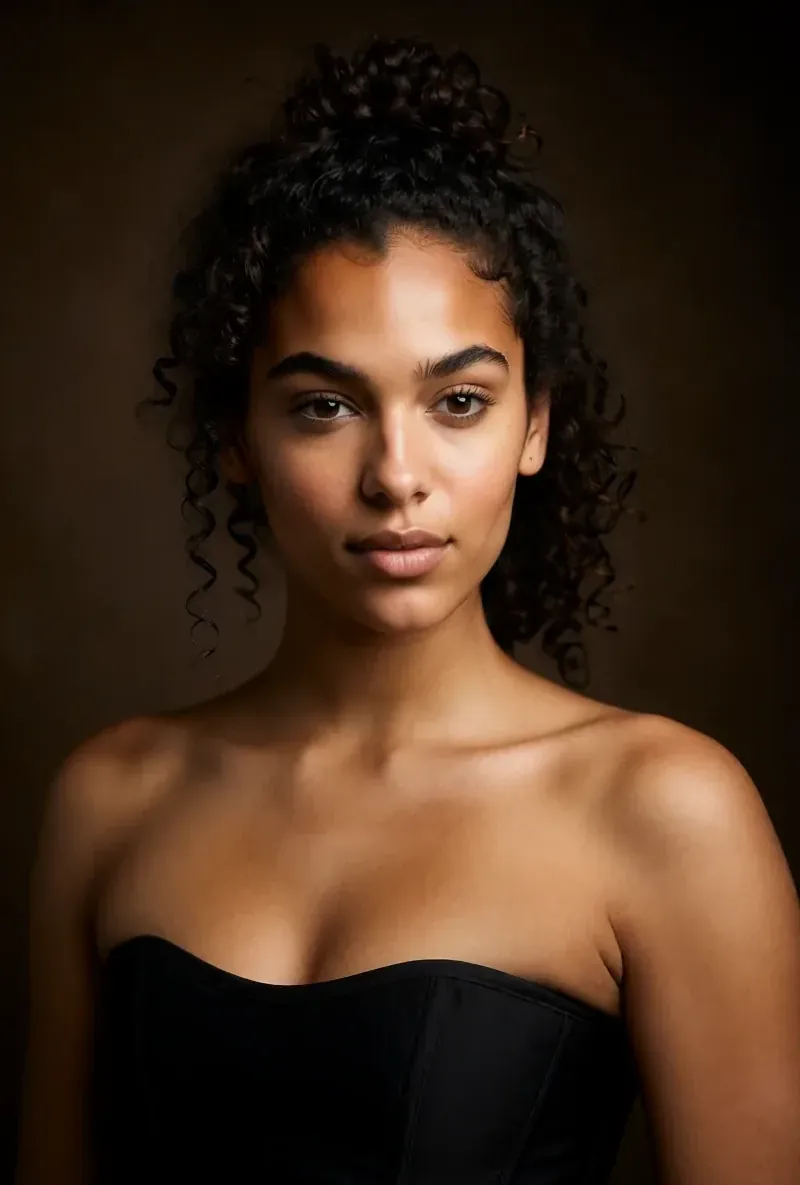 A step-by-step builder, then a base image and a reference sheet; no data to label and no training run. | Its documented route is to train a LoRA: choose a base model, label your data, set the steps, and pay with Buzz. |
| Keeping one face consistent | After the builder you pick a base image, and RYLA generates a reference sheet of that face that new content is made from. | A LoRA is described as a small add-on file that teaches a model one style, character or concept; how well it holds a face is not compared here. |
| Generating without your own PC | Generation runs in the browser; no local setup is needed. | Its on-site image generation service lets you make AI art without your own PC. |
| Video and talking clips |  Image-to-video, talking avatar clips with the voice chosen in the builder, and video swap of the same character. | Its education hub also mentions making music and sound effects in the generator; talking character clips are not compared here. |
RYLA 열은 주장하지 않고 보여 줘요. 가격이나 정책이 주장인 행에는 일부러 이미지를 넣지 않았어요.
같은 얼굴, 네 가지 장면
여기의 모든 이미지는 RYLA로 생성했어요. 캐릭터 하나, 장면 네 개, 중간에 보정은 없어요.


RYLA가 강한 영역
학습도, 모델 찾기도 필요 없어요
RYLA에는 라벨을 붙일 데이터셋도, 고를 기본 모델도, 학습 실행도 없어요. 브라우저 빌더에서 캐릭터를 설계하면 RYLA가 고를 수 있는 기본 이미지를 생성해요.
얼굴 하나를 레퍼런스 시트에 고정해요
캐릭터의 기본 이미지를 하나 고르면 RYLA가 그 얼굴의 레퍼런스 시트를 생성하고, 새 사진과 클립은 그 시트로 만들어져요.
한 캐릭터의 사진, 영상, 말하는 클립
확정한 뒤에는 Studio가 템플릿으로 새 사진을 생성하고, 이미지에서 영상으로 변환이 정지 이미지를 움직이게 하고, Avatar Video가 빌더에서 고른 목소리로 말하는 클립을 만들고, 비디오 스왑이 같은 캐릭터를 기존 클립에 넣어요.
차이를 솔직하게 말해요
Civitai는 커뮤니티 모델 라이브러리와 학습 제어를 제공해요. 특정 모델을 고르고 싶거나 직접 LoRA를 학습하고 싶다면, 지금은 RYLA보다 더 직접적으로 해결해 줘요.
아직 Civitai가 강한 영역
Civitai is ahead on openness and control. It is a community library of models shared by others, and its Training Studio lets you choose the base model, label your own data and set the number of steps. If you want to pick a specific model or train a LoRA yourself, Civitai fits that job more directly than RYLA, which has no model library and no training controls.
Civitai에서 RYLA로 옮기기
There is no import between the two products, so switching means building your character once in RYLA. This is the actual sequence in the RYLA builder:
- Pick a niche, then gender and style.
- Set the look: ethnicity, age, skin, eyes, face shape, and hair.
- Choose outfit and scene, then personality and a name, then a voice.
- Generate base images and pick the one that becomes your character.
- RYLA generates a reference sheet of that face.
- Finalize, then create new photos in Studio, motion with image to video, talking clips in Avatar Video, and swaps in Video Swap.
Here is one RYLA character from the showcase on this site, generated in two different scenes:


If you liked a look you made with a model on Civitai, use it as your brief in step 2. Current plans are on the pricing page. For other comparisons, see the Midjourney alternative and OpenArt alternative pages.
결론
Choose Civitai if you want to browse community models, pick a base model, and train your own LoRA with full control over the settings. Choose RYLA if you want to design one new character in a browser, lock its face in a reference sheet, and generate its photos, video, talking clips, and video swaps without training anything. RYLA is not affiliated with, endorsed by, or connected to Civitai; the name Civitai is used on this page only to identify that service.