
Alternativa ao APOB AI: como a RYLA se compara ao APOB AI
O APOB AI é um gerador de influenciadores IA com 80 créditos grátis por dia e um amplo conjunto de ferramentas de vídeo. A RYLA segue outro caminho: um criador de personagem passo a passo que trava um rosto em uma folha de referência e depois reutiliza esse mesmo personagem para fotos, vídeos e clipes falados.
Qual você deve usar?
you want to design one character step by step (niche, look, outfit, personality, voice), lock its face in a reference sheet, and generate photos, image-to-video, talking clips and video swap of that same character in one workspace
you want a daily free credit allowance, text-to-video and video extension, subtitles, and a video editor that can swap the person, style or background of an existing clip
Onde cada plataforma vence
APOB AI describes itself as an AI influencer generator and an all-in-one studio for images, AI video and talking avatars. Facts about APOB AI below come from its public homepage, read on 8 October 2026. Its paid plan prices are shown only inside its app, so this page does not compare prices. RYLA plan details come from the RYLA pricing page. The table includes the rows where APOB AI is ahead.
| Feature | RYLARecomendado | APOB AI |
|---|---|---|
| Free usage | A Free plan in the app: a one-time credit grant at signup for one character, with no monthly refill. | A free membership with 80 free credits every day, no credit card needed. |
| Entry paid plan | Basic: $34.99 a month; credits and character limits are on the pricing page. | Premium plans are priced inside its app; prices are not listed on its homepage, so they are not compared here. |
| Designing a character | A step-by-step builder: niche, gender and style, ethnicity, age, skin, eyes, face shape, hair, outfit and scene, personality and name, then voice. | Customize a model by gender, age, nationality, eye color, hairstyle and other attributes, plus a Create Portrait Model flow. |
| Keeping one face consistent | 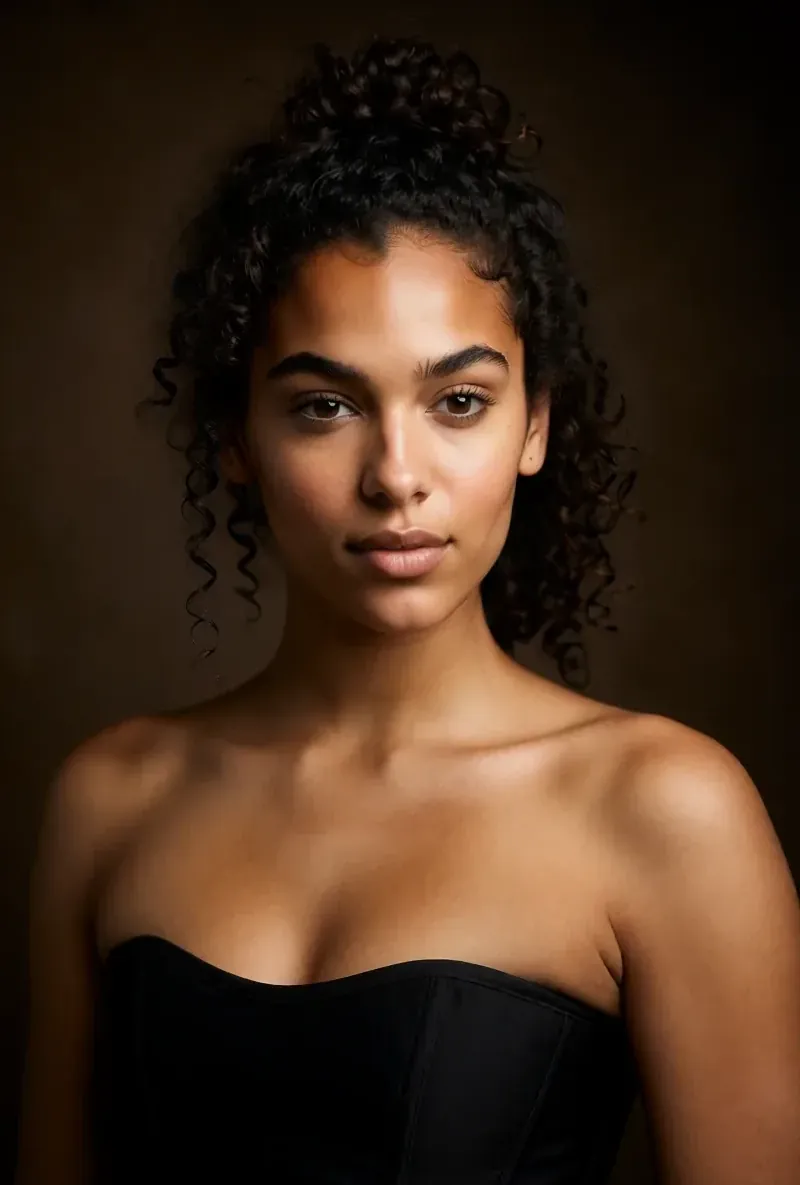 After the builder you pick a base image and RYLA generates a reference sheet of that face, which new content is generated from. After the builder you pick a base image and RYLA generates a reference sheet of that face, which new content is generated from. | Lists Advanced Face-Lock among the features of its Premium plan. |
| Video generation |  Image-to-video from a still of your character, plus video swap of that character into an existing clip. Image-to-video from a still of your character, plus video swap of that character into an existing clip. | Image to video, text to video, video face swap, extend video, add subtitles and edit video. |
| Talking avatar | Avatar Video creates talking clips with the voice chosen in the builder. | Text-to-speech avatars with selectable voices, plus a separate lip sync feature. |
| Editing an existing clip | Video swap places your character into an existing clip; there is no separate style or background editor. | Revideo edits the character, the style or the background of a clip. |
| Commercial rights | Under RYLA's terms you keep the commercial rights to your character and the content you generate. | Lists commercial rights among the features of its Premium plan. |
A coluna da RYLA, mostrada em vez de afirmada. Linhas cuja afirmação é um preço ou uma política não têm imagem de propósito.
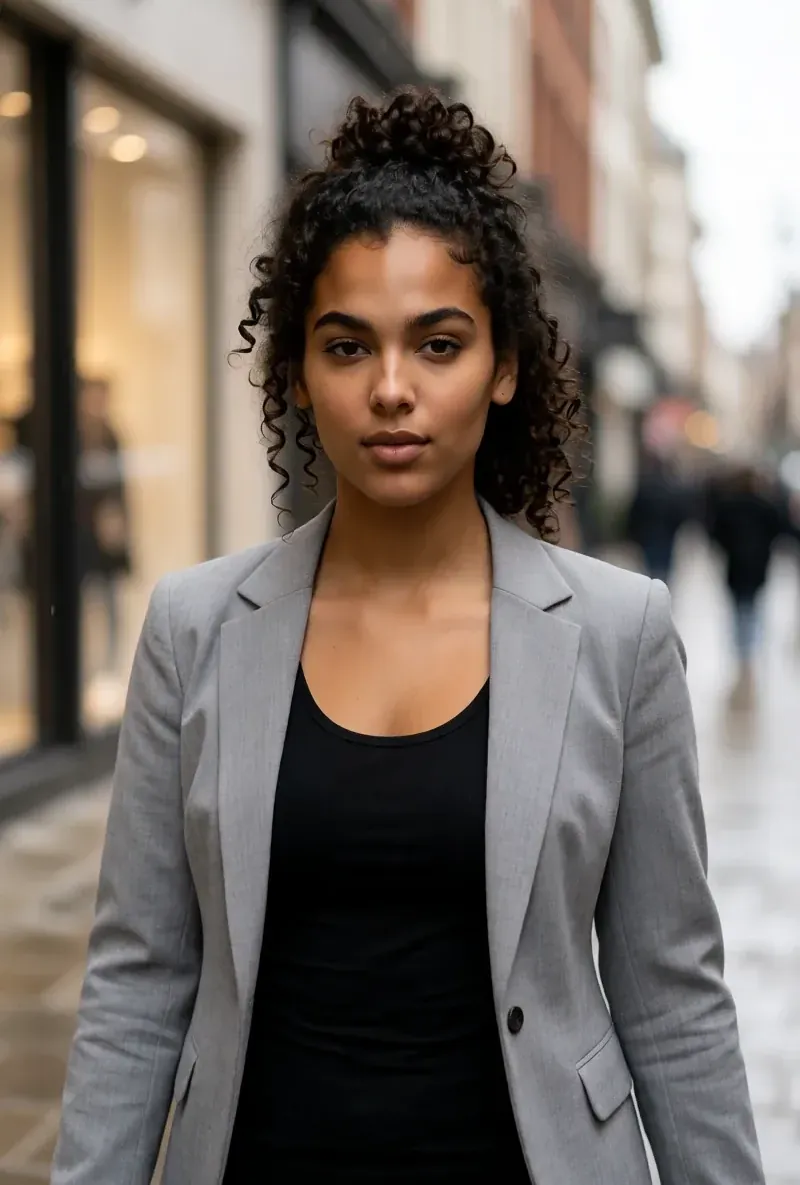
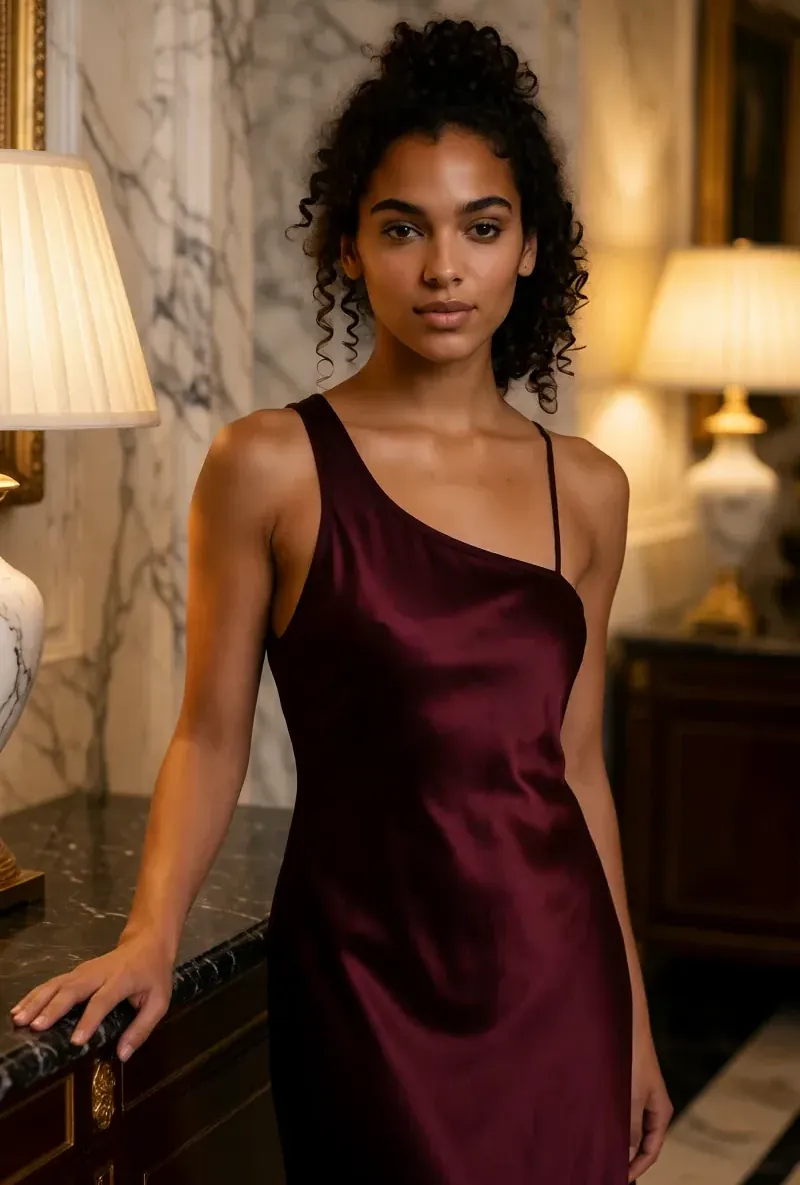
O mesmo rosto em quatro cenas diferentes
Cada imagem aqui foi gerada com a RYLA. Um personagem, quatro cenas diferentes, nada retocado no meio do caminho.
Onde a RYLA vence
Um rosto, travado em uma folha de referência
A RYLA não vai direto de um prompt para o conteúdo. Você escolhe uma imagem base do seu personagem, a RYLA gera uma folha de referência desse rosto, e novas fotos e clipes são gerados a partir dessa folha. É assim que a RYLA mantém o rosto reconhecível de publicação em publicação.
Personalidade e voz, definidas uma vez
Nome, personalidade e voz fazem parte do criador, não são um detalhe depois. A voz escolhida ali é a que o seu personagem usa depois nos clipes de avatar falante.
Fotos, vídeos e clipes falados de um personagem
Depois de finalizar, o Studio gera novas fotos a partir de templates, a imagem para vídeo coloca uma imagem fixa em movimento, o Avatar Video cria clipes falados, e o Video Swap coloca o mesmo personagem em um clipe existente.
Honesto sobre a diferença
O APOB AI oferece 80 créditos grátis por dia e lista texto para vídeo, extensão de vídeo, legendas, lip sync e um editor Revideo para personagem, estilo e fundo. O plano Free da RYLA é um crédito único, e a RYLA não tem ferramenta de texto para vídeo, legendas nem edição de fundo.
Onde APOB AI ainda vence
APOB AI is ahead on free usage and on the breadth of its video toolkit. Its free membership gives 80 credits every day with no credit card, while RYLA gives a one-time credit grant at signup. APOB AI also lists text-to-video, video extension, subtitles, a separate lip sync feature, and a Revideo editor that changes the character, style or background of a clip. If you mostly want daily free generations or a broad video editor, APOB AI covers that more directly than RYLA does today.
Migrar de APOB AI para a RYLA
There is no import between the two products, so switching means building your character once in RYLA. This is the actual sequence in the RYLA builder:
- Pick a niche, then gender and style.
- Set the look: ethnicity, age, skin, eyes, face shape and hair.
- Choose outfit and scene, then personality and a name, then a voice.
- Generate base images and pick the one that becomes your character.
- RYLA generates a reference sheet of that face.
- Finalize, then create new photos in Studio, motion with image-to-video, talking clips in Avatar Video, and swaps in Video Swap.
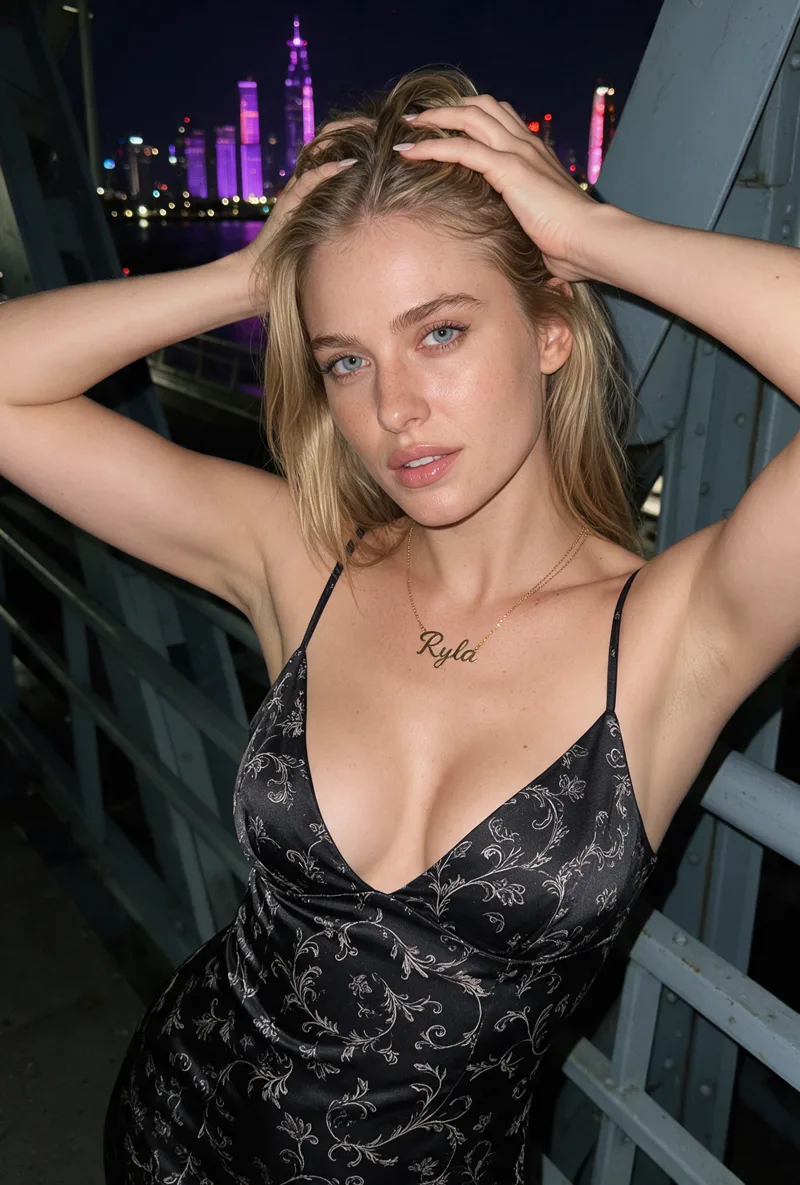
Here is one RYLA character from the showcase on this site, generated in two different scenes:
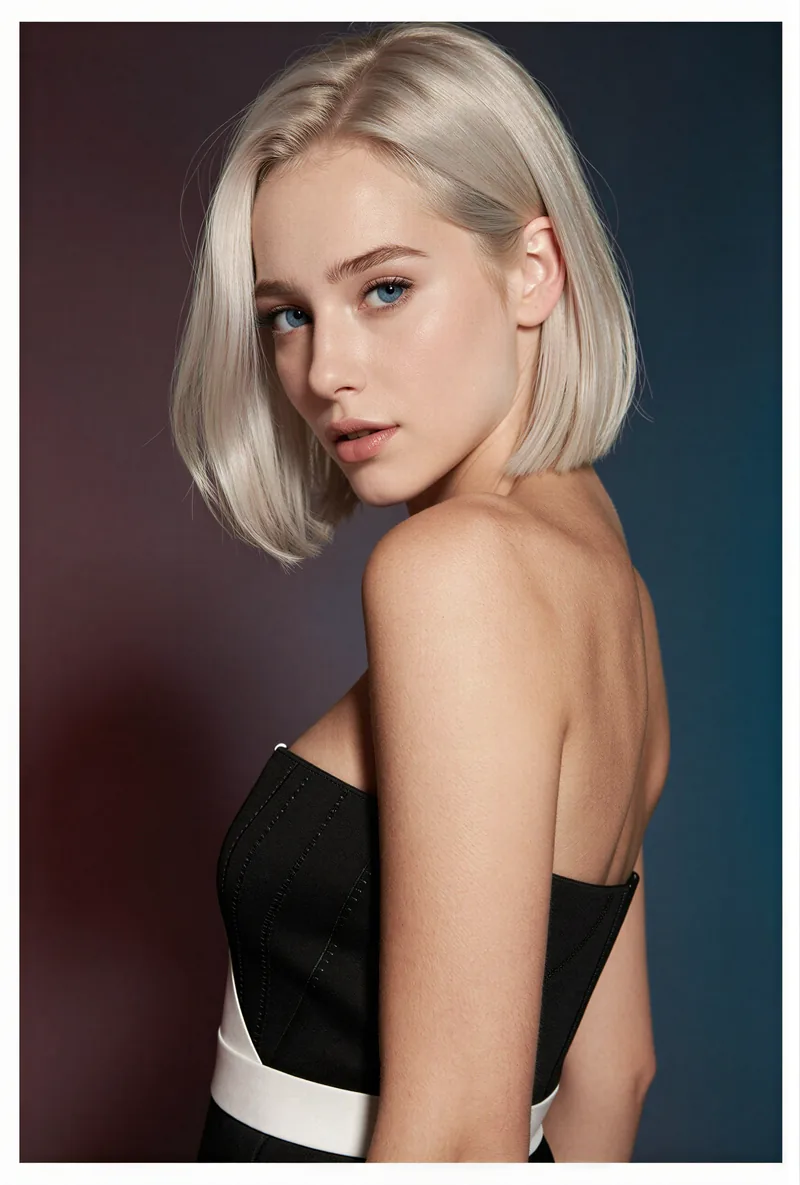
If you liked a persona you made on APOB AI, use its look as your brief in step 2. Current plans are on the pricing page.
Veredito
Choose APOB AI if you want daily free credits, text-to-video, video extension, subtitles, or a video editor that swaps the character, style or background of a clip. Choose RYLA if you want to design one character in detail, lock its face in a reference sheet, and generate its photos, video, talking clips and video swaps in one workspace. RYLA is not affiliated with, endorsed by, or connected to APOB AI; its name is used on this page only to identify that service.