
Procurando uma alternativa ao Higgsfield? Crie um personagem e mantenha o rosto dele
O Higgsfield (higgsfield.ai) é uma plataforma de IA ampla para vídeo, imagens e apps criativos. A RYLA segue um caminho mais focado: você cria um personagem novo em um criador passo a passo, fixa o rosto dele em uma folha de referência e gera esse mesmo personagem em fotos, vídeo e clipes falados.
Qual você deve usar?
you want to design a new character step by step (niche, look, outfit, personality, voice), lock its face in a reference sheet, and generate its photos, video, talking clips, and video swaps in one workspace
you want a broad creative platform with several video and image models, cinematic camera control, and apps for short-form video, with the character as one feature among many
Onde cada plataforma vence
This is the short alternatives page. For the full side-by-side, see RYLA vs Higgsfield. Higgsfield describes itself as a platform with video models, cinematic camera control, image models, an AI Influencer Studio, and apps for short-form video, with access to 35+ frontier models. RYLA starts from one character instead: you design it in the builder, without uploading photos of anyone, and generate new content from that character. Facts about Higgsfield come from its public homepage, read on 7 November 2026; its pricing page is the place for current plans, and no Higgsfield prices are quoted here. RYLA plans come from the RYLA pricing page. The table includes the rows where Higgsfield is ahead.
| Feature | RYLARecomendado | Higgsfield |
|---|---|---|
| Plans | Monthly plans from Basic at $34.99 a month; credits and character limits are on the pricing page. | Several plans are listed on its pricing page; this page does not quote them. Check the page for current prices. |
| Range of models and tools | Photos, image-to-video, and talking clips of your character, without a per-model picker. | Its homepage lists video models (such as Seedance 2.5), image models, Cinema Studio 4.0, and access to 35+ frontier models. |
| Cinematic camera control |  Video is made from your character's still; cinematic camera work is not the focus. | Cinematic camera control is named in its site description. |
| Design a new character from scratch | A step-by-step builder: niche, gender and style, ethnicity, age, skin, eyes, face shape, hair, outfit and scene, personality and name, then a voice. | Its homepage lists an AI Influencer Studio; the steps inside it are not compared here. |
| Keeping one face consistent | 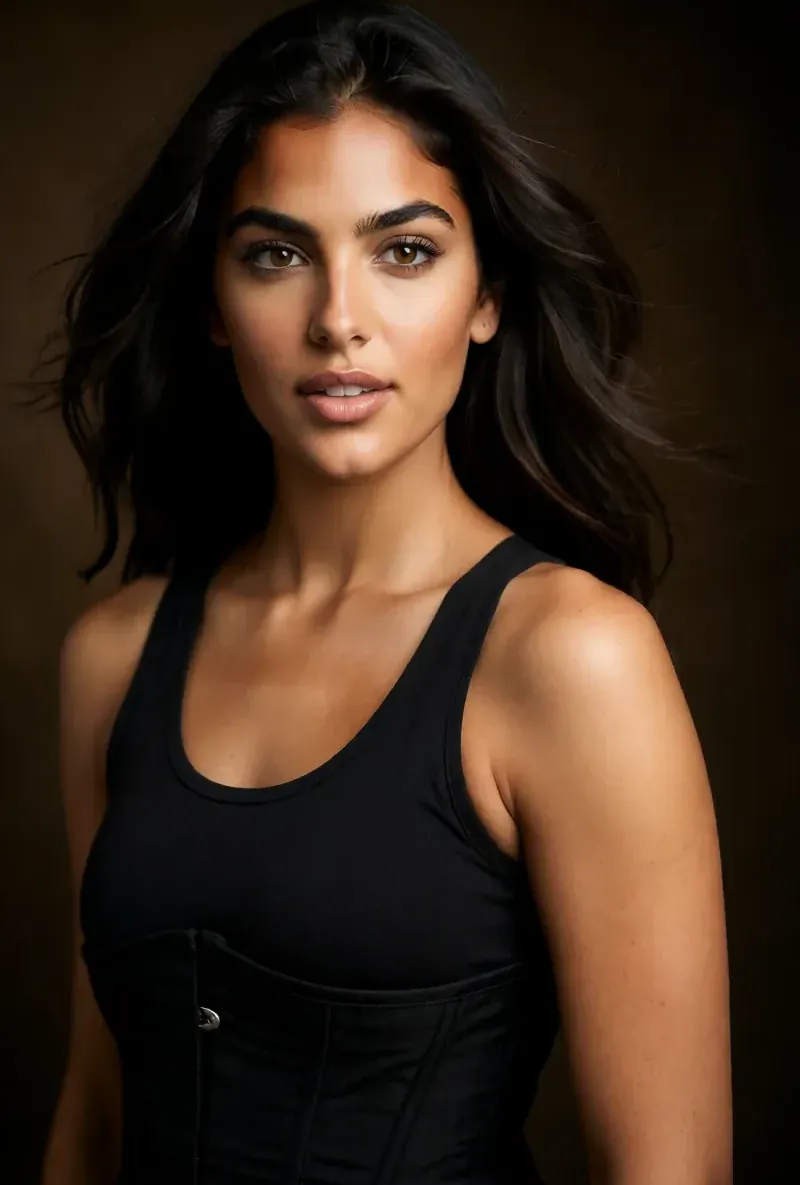 After the builder you pick a base image, and RYLA generates a reference sheet of that face that new content is made from. | Its homepage lists consistent characters; how it works is not compared here. |
A coluna da RYLA, mostrada em vez de afirmada. Linhas cuja afirmação é um preço ou uma política não têm imagem de propósito.
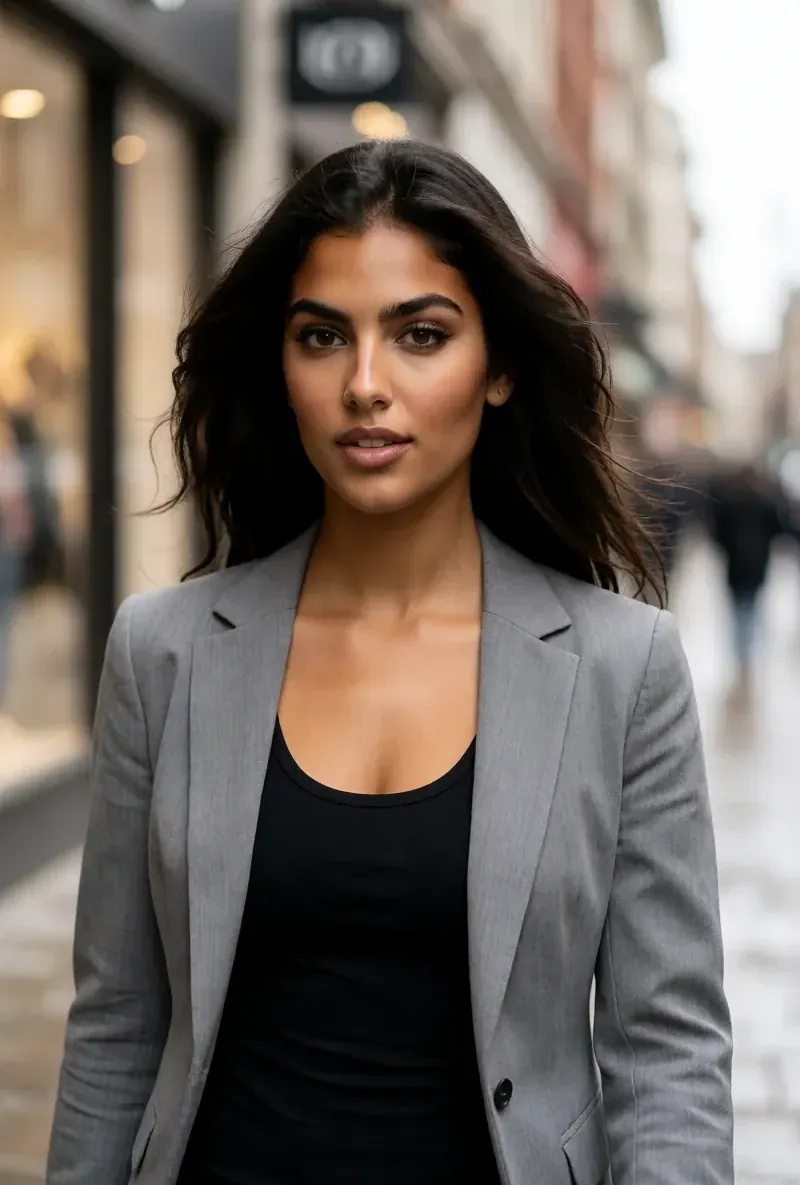
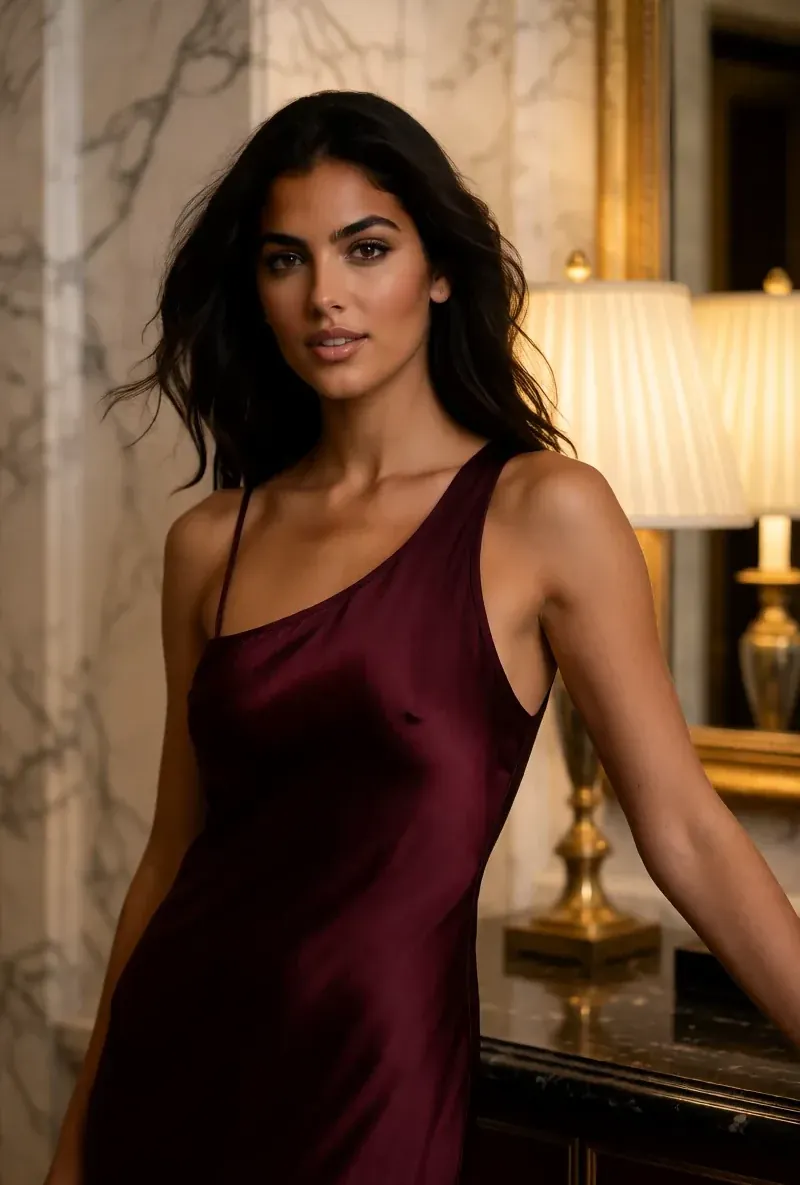
O mesmo rosto em quatro cenas diferentes
Cada imagem aqui foi gerada com a RYLA. Um personagem, quatro cenas diferentes, nada retocado no meio do caminho.
Onde a RYLA vence
Sem precisar de fotos suas
O criador da RYLA parte de um personagem que você cria, não de fotos que você envia. Você escolhe nicho, visual, outfit e cenário, depois personalidade, nome e voz, e a RYLA gera imagens base para você escolher.
Um rosto, fixado em uma folha de referência
Você escolhe uma imagem base do seu personagem, a RYLA gera uma folha de referência desse rosto, e as fotos e clipes novos são criados a partir dessa folha.
Fotos, vídeo e clipes falados de um mesmo personagem
Depois de finalizar, o Studio gera fotos novas a partir de modelos, imagem para vídeo coloca uma imagem estática em movimento, o Avatar Video cria clipes falados com a voz escolhida no criador, e a troca de vídeo coloca o mesmo personagem em um clipe existente.
Honestos sobre a diferença
O Higgsfield lista mais modelos de vídeo e imagem e controle de câmera cinematográfico. Se você precisa de variedade de modelos ou de movimento no estilo de cineasta, ele cobre isso hoje de forma mais direta do que a RYLA.
Onde Higgsfield ainda vence
Higgsfield is ahead on breadth. Its homepage lists several video and image models, cinematic camera control, and a range of apps, while RYLA focuses on one character and does not offer a model picker or cinematic camera tools. If you want to try many models on the same idea, Higgsfield fits that job more directly.
Migrar de Higgsfield para a RYLA
There is no import between the two products, so switching means building your character once in RYLA. This is the actual sequence in the RYLA builder:
- Pick a niche, then gender and style.
- Set the look: ethnicity, age, skin, eyes, face shape, and hair.
- Choose outfit and scene, then personality and a name, then a voice.
- Generate base images and pick the one that becomes your character.
- RYLA generates a reference sheet of that face.
- Finalize, then create new photos in Studio, motion with image-to-video, talking clips in Avatar Video, and swaps in Video Swap.
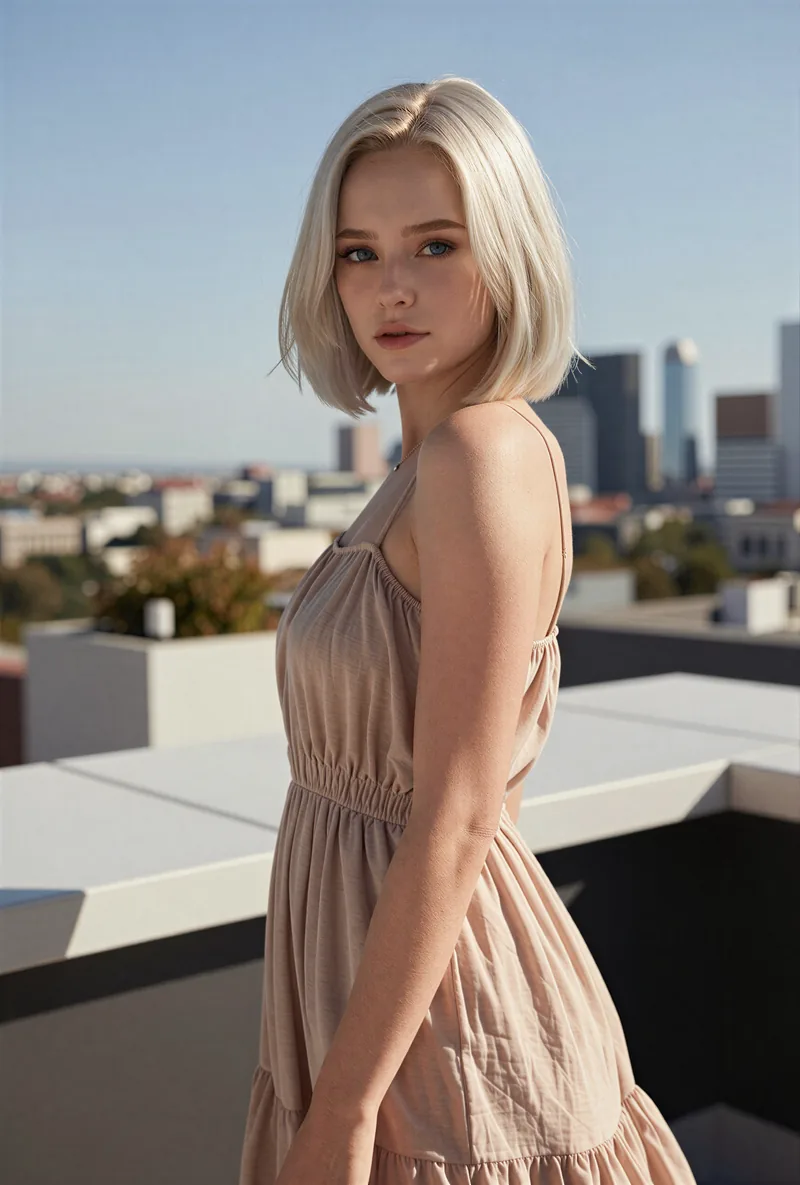
Here is one RYLA character from the showcase on this site, generated in two different scenes:

If you liked a look you made on Higgsfield, use it as your brief in step 2. Current plans are on the pricing page. For other comparisons, see RYLA vs Higgsfield and the Kling AI alternative page.
Veredito
Choose Higgsfield if you want a broad creative platform with several video and image models and cinematic camera control. Choose RYLA if you want to design one new character in detail, lock its face in a reference sheet, and generate its photos, video, talking clips, and video swaps in one workspace. RYLA is not affiliated with, endorsed by, or connected to Higgsfield; the name Higgsfield is used on this page only to identify that service.