
Cerchi un'alternativa a Captions? Crea un personaggio e mantieni il suo volto
Captions (captions.ai) è un editor video con IA che taglia, sottotitola e traduce i filmati e può anche generare avatar IA. RYLA segue un'altra strada: crei un nuovo personaggio in un builder passo dopo passo, fissi il suo volto in una scheda di riferimento e generi quello stesso personaggio in foto, video e clip parlanti.
Quale dovresti usare?
you want to design a recurring character step by step (niche, look, outfit, personality, voice), lock its face in a reference sheet, and generate its photos, video, talking clips, and video swaps in one workspace
you want an AI video editor that cuts your footage, adds styled captions and B-roll, translates subtitles, and can also generate avatars or a digital twin
Dove vince ciascuna piattaforma
Captions describes itself as an AI video editor that produces fully edited videos from uploaded or newly generated footage. Its homepage lists AI Edit (cutting scenes and adding B-roll in a chosen style), automatic captions, translated subtitles in 100+ languages, AI avatars and digital twins, eye-contact correction, denoise, pause trimming, and royalty-free music. Its pricing page lists Max at $24.99 a month with 500 credits, Frontier at $69.99 with 1,400 credits, Frontier 2x at $139.99 with 2,800 credits, Frontier 4x at $279.99 with 5,600 credits, and custom Enterprise pricing; it states that prices and features shown reflect iOS plans only. RYLA starts from the character: you design a new one in the builder, without uploading photos of anyone, and generate new content from that one character. These are different jobs, so the table shows where each fits rather than declaring one better overall. Facts about Captions come from its public homepage and pricing page, as of 31 October 2026. RYLA plans come from the RYLA pricing page. The table includes the rows where Captions is ahead.
| Feature | RYLAConsigliato | Captions |
|---|---|---|
| Plans | Monthly plans from Basic at $34.99 a month; credits and character limits are on the pricing page. | Max, Frontier, Frontier 2x and Frontier 4x with 500 to 5,600 credits a month, plus custom Enterprise pricing, listed on its pricing page on 31 October 2026 (iOS plans). |
| Editing, captions and translation | Not an editing suite. RYLA generates the photos and clips; you assemble them in the editor you already use. | AI Edit, styled automatic captions, translated subtitles in 100+ languages, pause trimming, denoise and eye-contact correction. |
| Design a new character from scratch | A step-by-step builder: niche, gender and style, ethnicity, age, skin, eyes, face shape, hair, outfit and scene, personality and name, then a voice. | Its homepage says you can generate new avatars or make a digital twin; a step-by-step builder for a new face is not described there. |
| Keeping one face consistent | 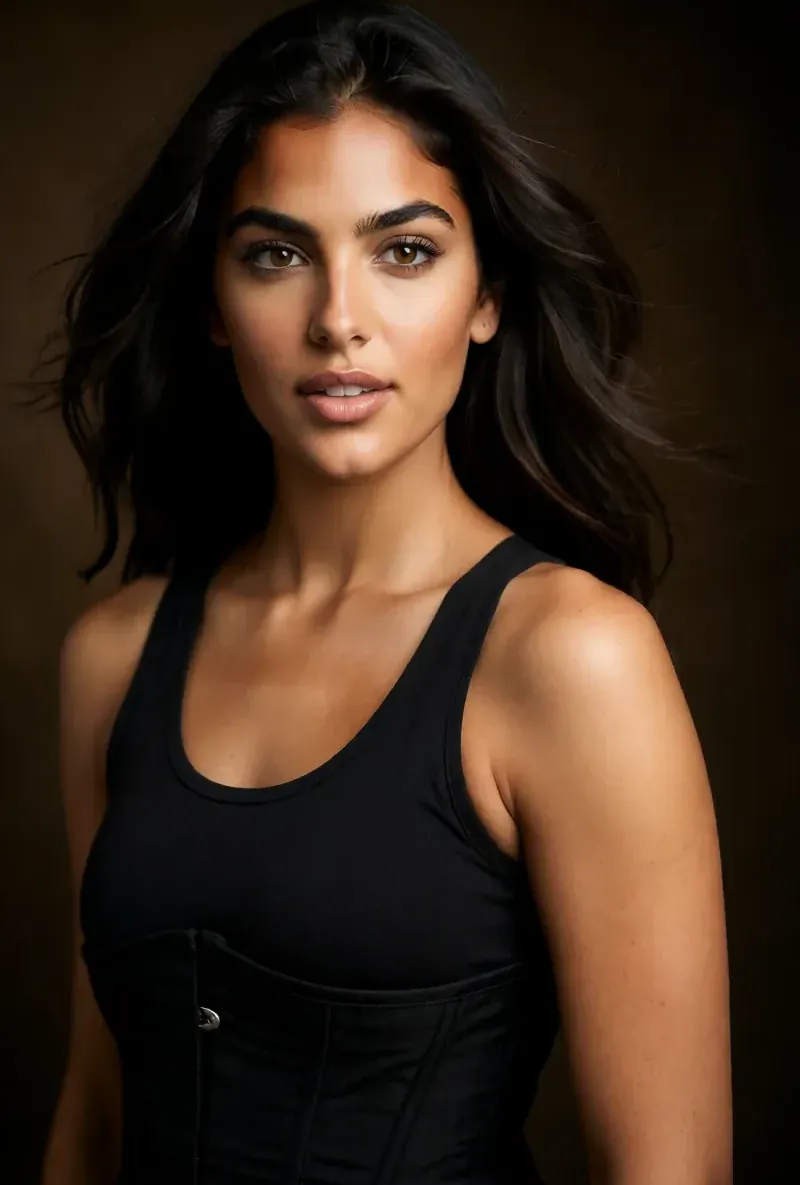 After the builder you pick a base image, and RYLA generates a reference sheet of that face that new content is made from. | Its pricing page lists digital twins and custom AI actors; how they keep a face consistent is not described there. |
| Video and talking clips |  Image-to-video, talking avatar clips with the voice chosen in the builder, and video swap of the same character. | Fully produced AI videos, AI avatars and a chat-based editor are listed on its pricing page. |
| Turning long videos into clips | Not offered; RYLA creates new content of one character rather than cutting existing footage. | Its pricing page lists conversion of long videos into batches of clips. |
La colonna RYLA, mostrata invece che affermata. Le righe il cui punto è un prezzo o una policy non hanno immagine di proposito.
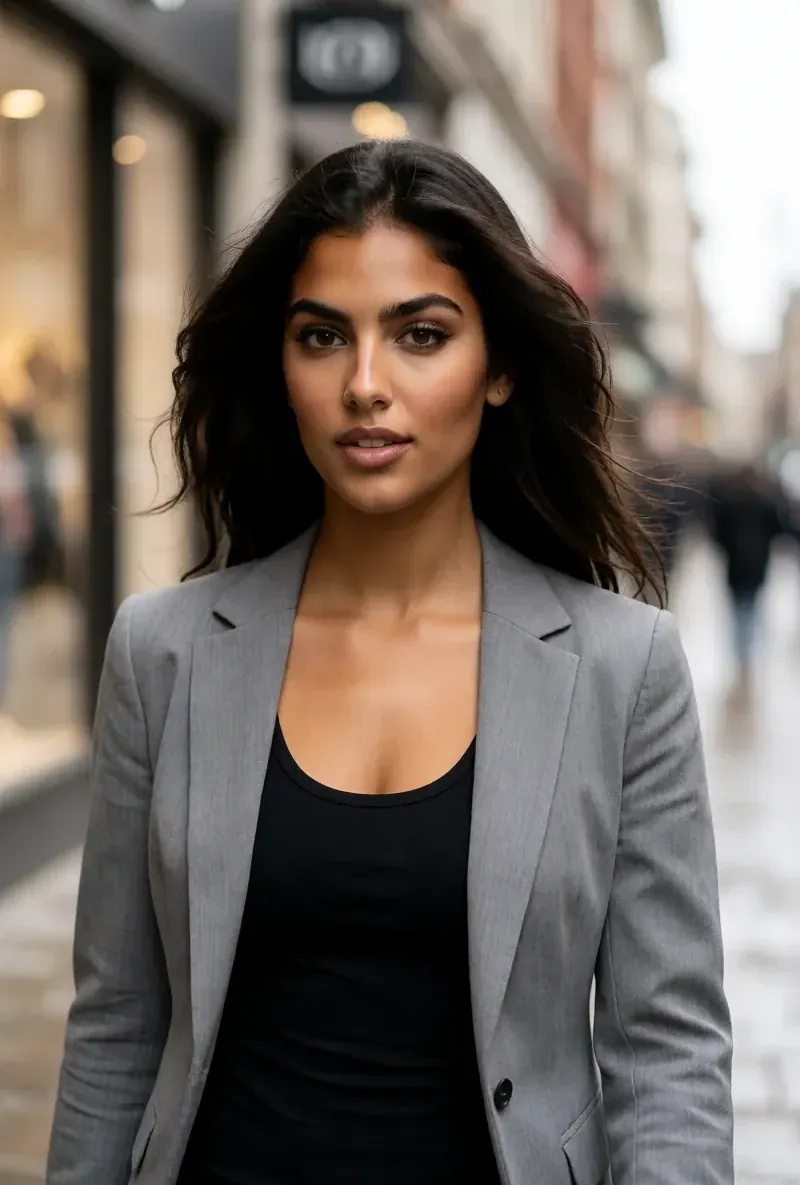
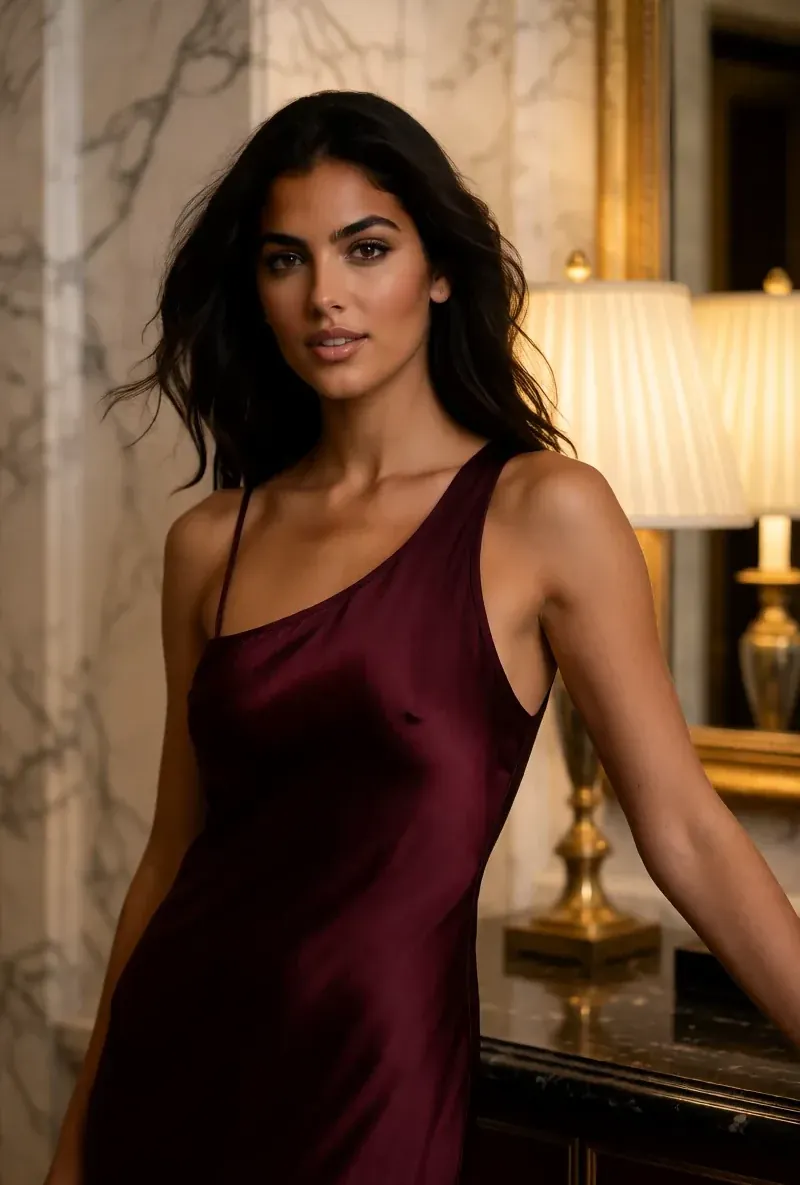
Lo stesso volto in quattro scene diverse
Ogni immagine qui è stata generata con RYLA. Un personaggio, quattro scene diverse, nessun ritocco in mezzo.
Dove vince RYLA
Nessuna tua foto necessaria
Il builder di RYLA parte da un personaggio che crei tu, non da foto che carichi. Scegli nicchia, aspetto, outfit e scena, poi personalità, nome e voce, e RYLA genera immagini base tra cui scegliere.
Un volto, fissato in una scheda di riferimento
Scegli un'immagine base del tuo personaggio, RYLA genera una scheda di riferimento di quel volto, e le nuove foto e clip nascono da quella scheda.
Foto, video e clip parlanti di un solo personaggio
Dopo la finalizzazione, Studio genera nuove foto da modelli, da immagine a video mette in movimento un'immagine fissa, Avatar Video crea clip parlanti con la voce scelta nel builder e il video swap inserisce lo stesso personaggio in un clip esistente.
Onesti sul divario
Captions lavora sui tuoi filmati: tagli, sottotitoli, B-roll, traduzione e pulizia. RYLA non fa nulla di tutto ciò; se ti serve un video montato a partire da filmati che hai già, Captions lo copre in modo più diretto.
Dove Captions vince ancora
Captions is ahead on editing. Its homepage lists AI Edit, styled automatic captions, translated subtitles in 100+ languages, pause trimming, denoise and eye-contact correction, and its pricing page lists turning long videos into batches of clips. RYLA generates the photos and clips of one character and leaves assembly to the editor you already use. If your starting point is footage you have already shot, Captions fits that job more directly.
Passare da Captions a RYLA
There is no import between the two products, so switching means building your character once in RYLA. This is the actual sequence in the RYLA builder:
- Pick a niche, then gender and style.
- Set the look: ethnicity, age, skin, eyes, face shape, and hair.
- Choose outfit and scene, then personality and a name, then a voice.
- Generate base images and pick the one that becomes your character.
- RYLA generates a reference sheet of that face.
- Finalize, then create new photos in Studio, motion with image-to-video, talking clips in Avatar Video, and swaps in Video Swap.
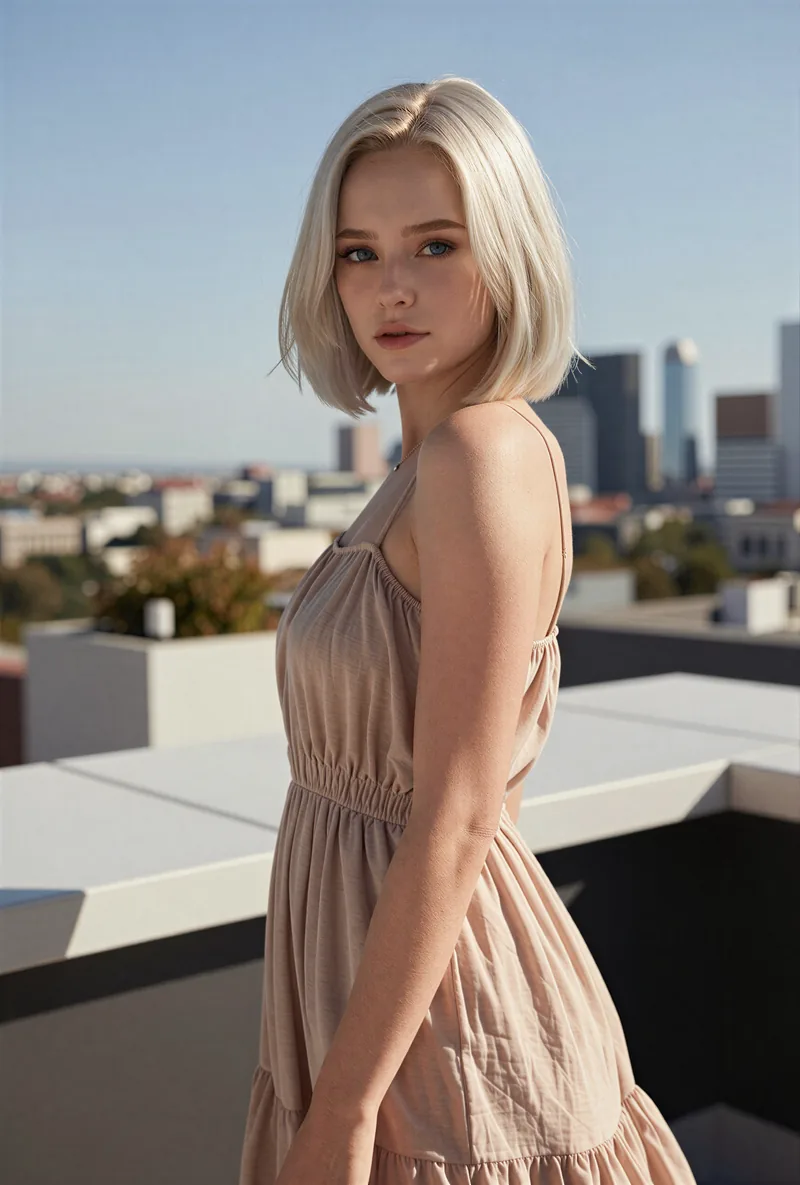
Here is one RYLA character from the showcase on this site, generated in two different scenes:

If you liked an avatar you made on Captions, use its look as your brief in step 2. Current plans are on the pricing page. For other comparisons, see the Argil alternative and Eromify alternative pages.
Verdetto
Choose Captions if you want an AI video editor that cuts your footage, adds styled captions and B-roll, and translates subtitles. Choose RYLA if you want to design one new character in detail, lock its face in a reference sheet, and generate its photos, video, talking clips, and video swaps in one workspace. RYLA is not affiliated with, endorsed by, or connected to Captions; the name Captions is used on this page only to identify that service.