
Cerchi un'alternativa a LTX Studio? Crea un personaggio coerente
LTX Studio (ltx.studio) è uno studio video IA che costruisce scene da prompt e storyboard. RYLA segue una strada più stretta: crei un nuovo personaggio in un costruttore passo dopo passo, fissi il suo volto in una scheda di riferimento e generi quello stesso personaggio in foto, video e clip parlate.
Quale dovresti usare?
you want to design a new character step by step (niche, look, outfit, personality, voice), lock its face in a reference sheet, and generate its photos, video, talking clips, and video swaps in one workspace
you want to produce video scenes from prompts and storyboards, with several video and image models, audio-to-video, and commercial use for subscribers
Dove vince ciascuna piattaforma
LTX Studio (ltx.studio, which redirects to ltx.io/studio) describes itself as an AI video generator that creates, edits, and customizes videos through prompts, storyboards, and AI controls. Its pricing page lists Free, Lite, Standard, and Pro plans plus a custom Enterprise plan, with monthly or yearly billing, and its site menu lists partner models such as Veo 3.1, Kling, and Seedance next to its own LTX model. RYLA starts from a different job: you design a new character in the builder, without uploading photos of anyone, and generate new content from that one character. Facts about LTX Studio come from its public pricing page and homepage, as of 13 November 2026. RYLA plans come from the RYLA pricing page. The table includes the rows where LTX Studio is ahead.
| Feature | RYLAConsigliato | LTX Studio |
|---|---|---|
| Plans | Monthly plans from Basic at $34.99 a month; credits and character limits are on the pricing page. | Free, Lite, Standard, and Pro plans plus a custom Enterprise plan, with monthly or yearly billing; the Free plan gives credits once and is shown only in some countries. |
| Storyboards and scene planning | Not a focus: RYLA is built around creating and reusing one character, not planning a film shot by shot. | Videos are built through prompts and storyboards, and its site lists blank storyboards. |
| Choice of generation models | Photos, image-to-video, and talking clips of your character, without a per-model picker. | Its own LTX model plus partner models listed on its site, including Veo 3.1, Kling, and Seedance. |
| Audio-to-video |  Image-to-video, talking avatar clips with the voice chosen in the builder, and video swap of the same character. | Its pricing page announces audio-to-video generation as live. |
| Design a new character from scratch | A step-by-step builder: niche, gender and style, ethnicity, age, skin, eyes, face shape, hair, outfit and scene, personality and name, then a voice. | Its FAQ mentions changing a character's appearance inside a project; a step-by-step builder for a new face is not described on the pages read. |
| Keeping one face consistent | 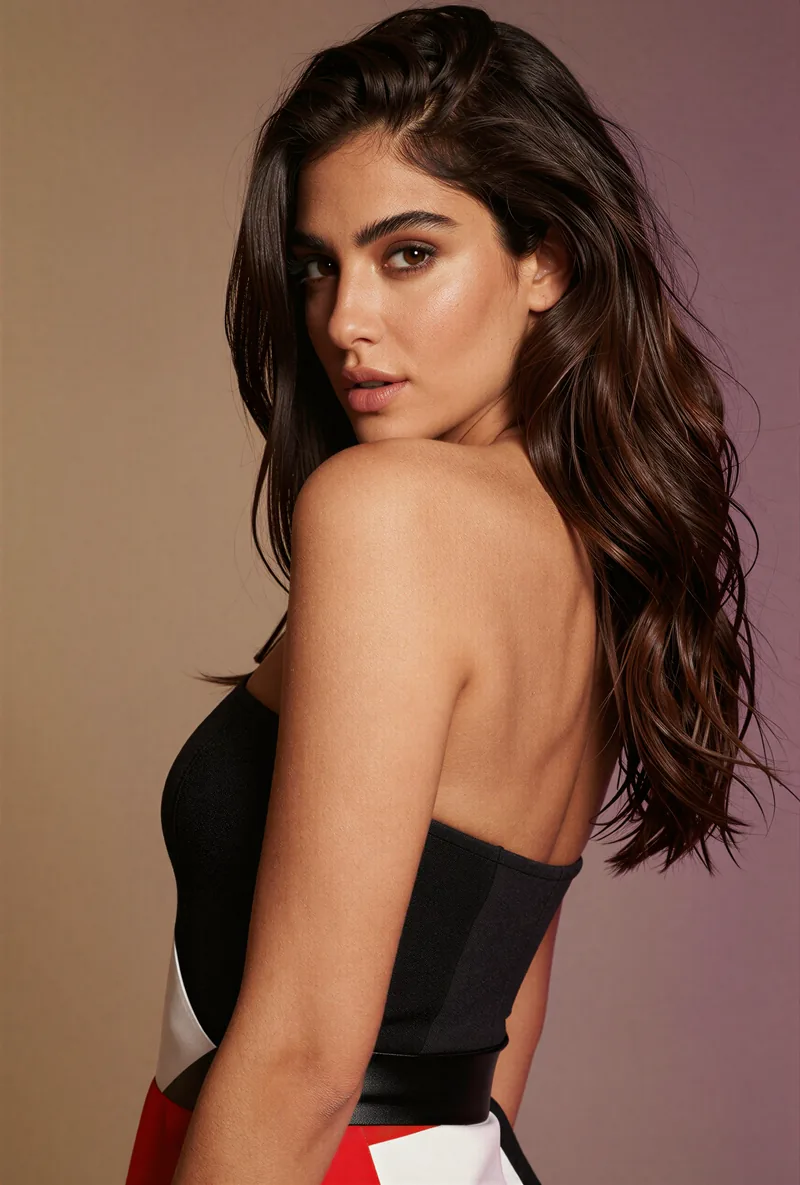 After the builder you pick a base image, and RYLA generates a reference sheet of that face that new content is made from. | Not compared here: its pages mention changing character appearance, but not how one face is kept consistent. |
| Commercial use | Plan terms are on the pricing page. | Its FAQ separates personal use, which is non-commercial, from commercial use for subscribers. |
La colonna RYLA, mostrata invece che affermata. Le righe il cui punto è un prezzo o una policy non hanno immagine di proposito.
Lo stesso volto in quattro scene diverse
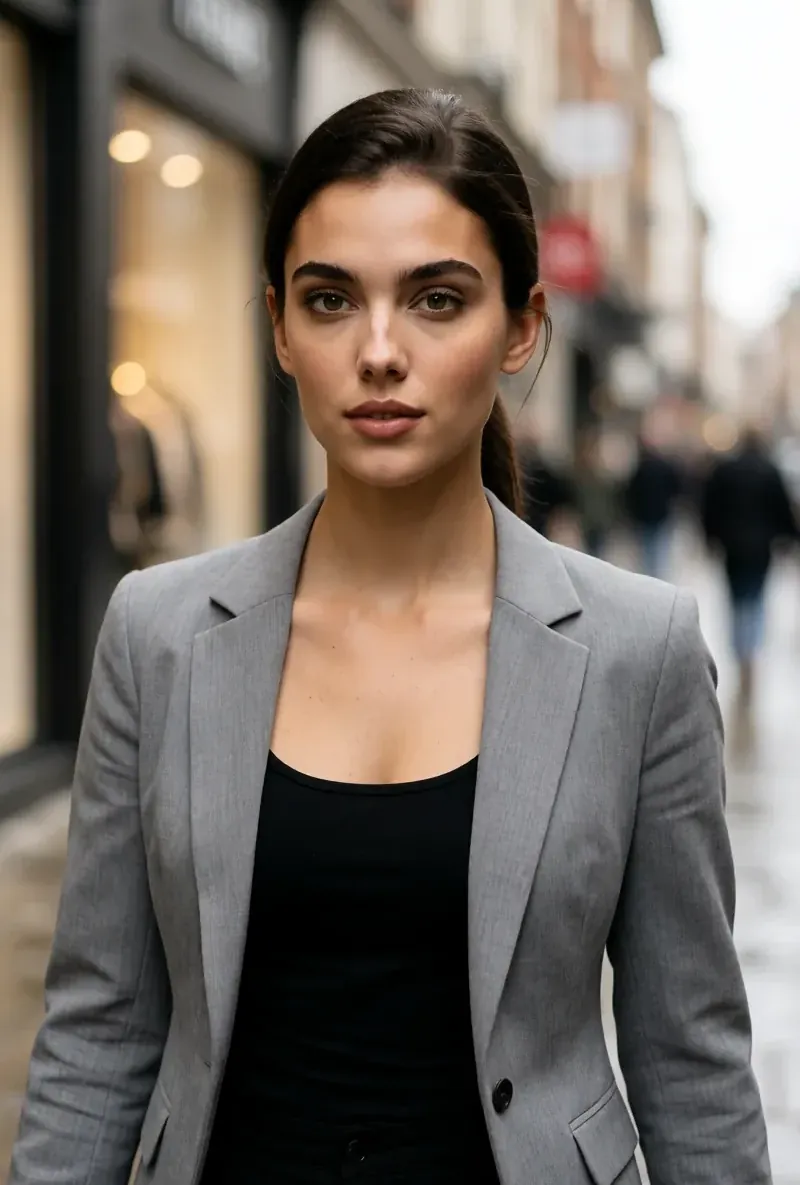
Ogni immagine qui è stata generata con RYLA. Un personaggio, quattro scene diverse, nessun ritocco in mezzo.

Dove vince RYLA
Nessuna foto tua necessaria
Il costruttore di RYLA parte da un personaggio che crei tu, non da foto che carichi. Scegli nicchia, aspetto, outfit e scena, poi personalità, nome e voce, e RYLA genera immagini base tra cui scegliere.
Un volto, fissato in una scheda di riferimento
Scegli un'immagine base del tuo personaggio, RYLA genera una scheda di riferimento di quel volto, e le nuove foto e clip nascono da quella scheda.
Foto, video e clip parlate di un personaggio
Dopo la finalizzazione, Studio genera nuove foto da modelli, da immagine a video mette in movimento un'immagine fissa, Avatar Video crea clip parlate con la voce scelta nel costruttore e lo scambio video inserisce lo stesso personaggio in una clip esistente.
Onesti sul divario
LTX Studio è pensato per pianificare e generare scene video da prompt e storyboard, con più modelli tra cui scegliere. Se ti serve una produzione video scena per scena, LTX Studio oggi risponde in modo più diretto di RYLA.
Dove LTX Studio vince ancora
LTX Studio is ahead on video production. It builds scenes from prompts and storyboards, lists several video and image models on its site, and offers audio-to-video. If you want to plan a multi-shot film or compare models on the same prompt, LTX Studio fits that job more directly than RYLA does today.
Passare da LTX Studio a RYLA
There is no import between the two products, so switching means building your character once in RYLA. This is the actual sequence in the RYLA builder:
- Pick a niche, then gender and style.
- Set the look: ethnicity, age, skin, eyes, face shape, and hair.
- Choose outfit and scene, then personality and a name, then a voice.
- Generate base images and pick the one that becomes your character.
- RYLA generates a reference sheet of that face.
- Finalize, then create new photos in Studio, motion with image-to-video, talking clips in Avatar Video, and swaps in Video Swap.
Here is one RYLA character from the showcase on this site, generated in two different scenes:


If you sketched a character in LTX Studio, use its look as your brief in step 2. Current plans are on the pricing page.
Verdetto
Choose LTX Studio if you want to produce video scenes from prompts and storyboards with several models and audio-to-video. Choose RYLA if you want to design one new character in detail, lock its face in a reference sheet, and generate its photos, video, talking clips, and video swaps in one workspace. RYLA is not affiliated with, endorsed by, or connected to LTX Studio; the name LTX Studio is used on this page only to identify that service.