
どちらを使うべきか?
you want to design a new character step by step (niche, look, outfit, personality, voice), lock its face in a reference sheet, and generate its photos, video, talking clips, and video swaps in one workspace
you want to turn a photo and a script into talking videos, choose between many video and image models, dub into other languages, and post approved videos to social networks from one tool
各プラットフォームが強い点
Percify describes itself as an AI video platform: you start from a photo, a script or a link and get a lip-synced talking video, an ad, or a remake of a short viral video with your own face and words. Its site also lists text-to-video and image-to-video models, image and music models, dubbing into 70+ languages, an API and MCP server, and posting of approved videos to ten social networks. A companion site, percify.ai, presents the same company as a "Brand OS" that reads your website and suggests video ideas. RYLA starts from the other end: you design a new character in the builder, without uploading photos of anyone, and generate new content from that one character. Facts about Percify come from its public sites percify.io and percify.ai, as of 9 November 2026. RYLA plans come from the RYLA pricing page. The table includes the rows where Percify is ahead.
| Feature | RYLAおすすめ | Percify |
|---|---|---|
| Plans | Monthly plans from Basic at $34.99 a month; credits and character limits are on the pricing page. | Plans from Starter at $12 a month (450 credits) up to Ultra at $128 a month (8,000 credits), with 20% off yearly billing; posting accounts are added per plan. |
| Choice of generation models | Photos, image-to-video, and talking clips of your character, without a per-model picker. | Its site lists 34 text-to-video models, 23 image-to-video models, and 25 text-to-image models. |
| Posting to social networks | No built-in posting: you download your content and publish it yourself. | Posts approved videos to ten social networks; posting accounts are added per plan. |
| Dubbing into other languages | Not offered as a separate dubbing tool. | Dubbing into 70+ languages, with a voice-preserving option in 33. |
| Design a new character from scratch | A step-by-step builder: niche, gender and style, ethnicity, age, skin, eyes, face shape, hair, outfit and scene, personality and name, then a voice. | Its talking avatars start from a photo of your face and a voice you clone or pick from a library; a step-by-step builder for a new face is not described on its site. |
| Keeping one face consistent | 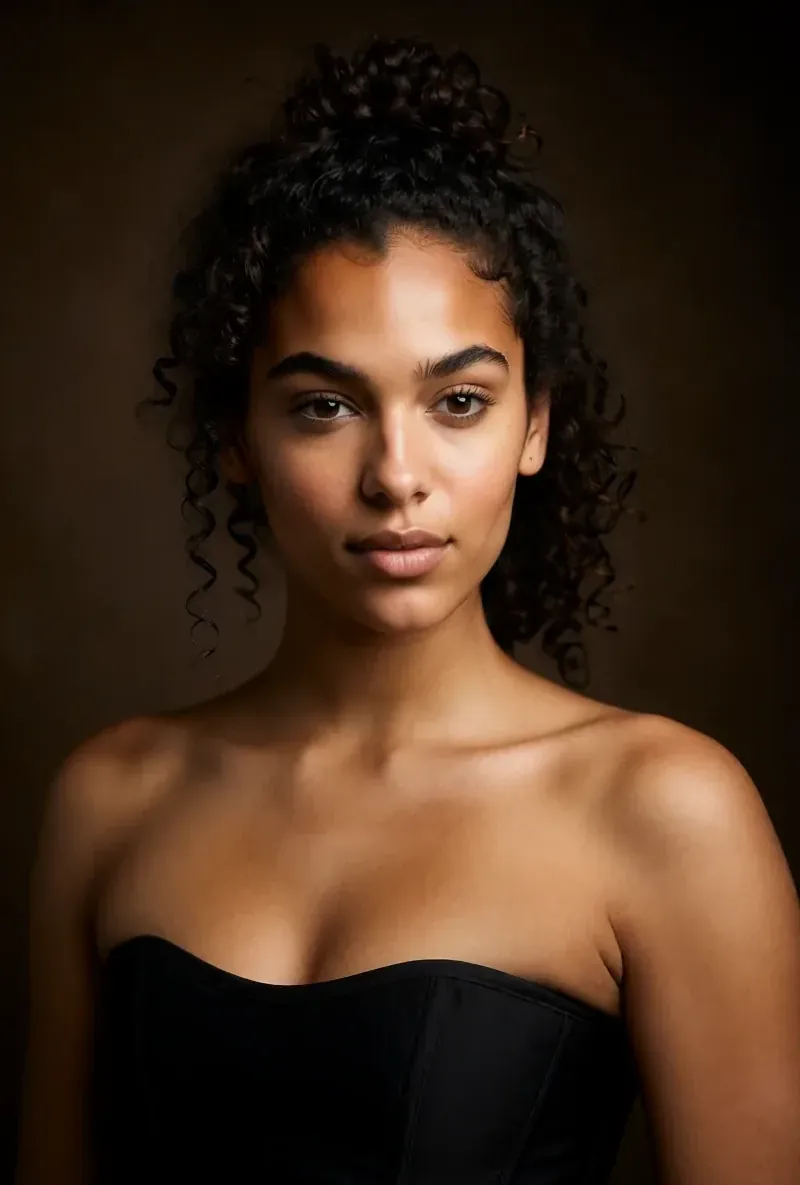 After the builder you pick a base image, and RYLA generates a reference sheet of that face that new content is made from. | Videos are made with an avatar of your face; how it holds across different scenes is not compared here. |
| Video and talking clips |  Image-to-video, talking avatar clips with the voice chosen in the builder, and video swap of the same character. | Lip-synced talking videos from a photo, text-to-video, image-to-video, and remakes of short videos. |
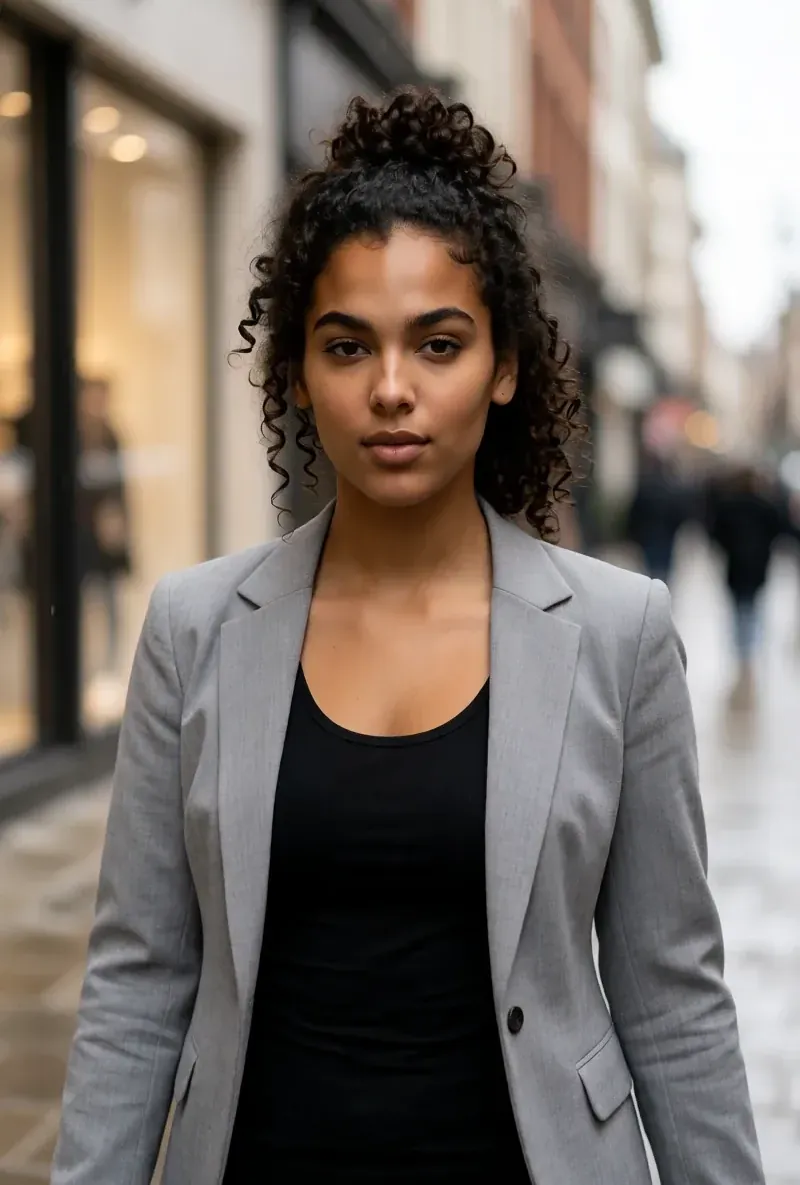
RYLA の列は、主張するのではなく実際に見せています。価格やポリシーに関する主張の行には、あえて画像を置いていません。
同じ顔、4つの異なるシーン
ここにある画像はすべて RYLA で生成しました。ひとりのキャラクターを4つの異なるシーンに置き、その間に修正は加えていません。

RYLA が勝つ点
あなたの写真は不要
RYLAのビルダーは、アップロードした写真ではなく、あなたが作るキャラクターから始まります。ニッチ、見た目、衣装、シーン、次に性格、名前、声を選ぶと、RYLAが選べるベース画像を生成します。
1つの顔を参照シートで固定
キャラクターのベース画像を1枚選ぶと、RYLAがその顔の参照シートを生成し、新しい写真やクリップはそのシートから作られます。
1人のキャラクターの写真、動画、話すクリップ
仕上げた後、Studioがテンプレートから新しい写真を生成し、画像から動画が静止画を動かし、Avatar Videoがビルダーで選んだ声の話すクリップを作り、ビデオスワップが同じキャラクターを既存のクリップに入れます。
差は正直にお伝えします
Percifyは、はるかに多くの動画・画像モデル、吹き替え、SNSへの直接投稿を提供しています。それらが必要なら、今のところRYLAよりPercifyのほうが直接カバーしています。
Percify がまだ勝る点
Percify is ahead on breadth. Its site lists dozens of video and image models, dubbing into 70+ languages, an API and MCP server, and posting of approved videos to ten social networks. RYLA has no built-in posting and no per-model picker, so if you want one tool that makes, translates and publishes your videos, Percify fits that job more directly.
Percify から RYLA へ乗り換える
There is no import between the two products, so switching means building your character once in RYLA. This is the actual sequence in the RYLA builder:
- Pick a niche, then gender and style.
- Set the look: ethnicity, age, skin, eyes, face shape, and hair.
- Choose outfit and scene, then personality and a name, then a voice.
- Generate base images and pick the one that becomes your character.
- RYLA generates a reference sheet of that face.
- Finalize, then create new photos in Studio, motion with image to video, talking clips in Avatar Video, and swaps in Video Swap.
Here is one RYLA character from the showcase on this site, generated in two different scenes:


If you liked a talking video you made on Percify, use its look as your brief in step 2. Current plans are on the pricing page. For other comparisons, see the Eromify alternative and HeyGen alternative pages.
判定
Choose Percify if you want to turn a photo and a script into talking videos, pick between many generation models, dub into other languages, and post approved videos to social networks from one tool. Choose RYLA if you want to design one new character in detail, lock its face in a reference sheet, and generate its photos, video, talking clips, and video swaps in one workspace. RYLA is not affiliated with, endorsed by, or connected to Percify; the name Percify is used on this page only to identify that service.