
どちらを使うべきか?
you want to design a recurring character for social content, lock its face in a reference sheet, and generate its photos, video, talking clips, and video swaps in one workspace
you need an AI agent that holds a live video conversation, joins meetings, answers from your documents, or is built into your own product through an API
各プラットフォームが強い点
Tavus describes itself as an AI research lab that builds real-time AI agents it calls PALs. Its site lists a no-code PAL Maker, a developer API, and managed enterprise deployments, with PALs that can join Google Meet, Zoom, or Teams calls, answer from uploaded documents, and remember users between conversations. RYLA does not do live conversation. It starts from the content side: you design a new character in the builder, without uploading photos of anyone, and generate new photos, video, and pre-scripted talking clips of that one character. These are different jobs, so the table below shows where each fits rather than declaring one better overall. Facts about Tavus come from its public homepage and pricing page, as of 24 October 2026. RYLA plans come from the RYLA pricing page.
| Feature | RYLAおすすめ | Tavus |
|---|---|---|
| Main job | Creating content (photos, video, talking clips) of one designed character. | Real-time, face-to-face AI agents that talk with people in live video. |
| Live conversation | Not offered. Talking clips are generated from a script, not a live chat. | Its homepage describes real-time conversation, including turn-taking and joining Google Meet, Zoom, or Teams calls. |
| Developer API | Programmatic access is not compared here. | A developer API (CVI) for building custom agent experiences, plus a no-code PAL Maker. |
| Knowledge base and memory | Not applicable to generated content. | Its homepage says agents can answer from uploaded documents and remember users between conversations. |
| Plans | Monthly plans from Basic at $34.99 a month; credits and character limits are on the pricing page. | A free tier plus paid tiers built around included conversation minutes; current prices are on its pricing page. |
| Design a new character from scratch | A step-by-step builder: niche, gender and style, ethnicity, age, skin, eyes, face shape, hair, outfit and scene, personality and name, then a voice. | Agents are built around stock or custom faces and a configured persona; a step-by-step character builder is not described on its homepage. |
| Keeping one face consistent in photos | 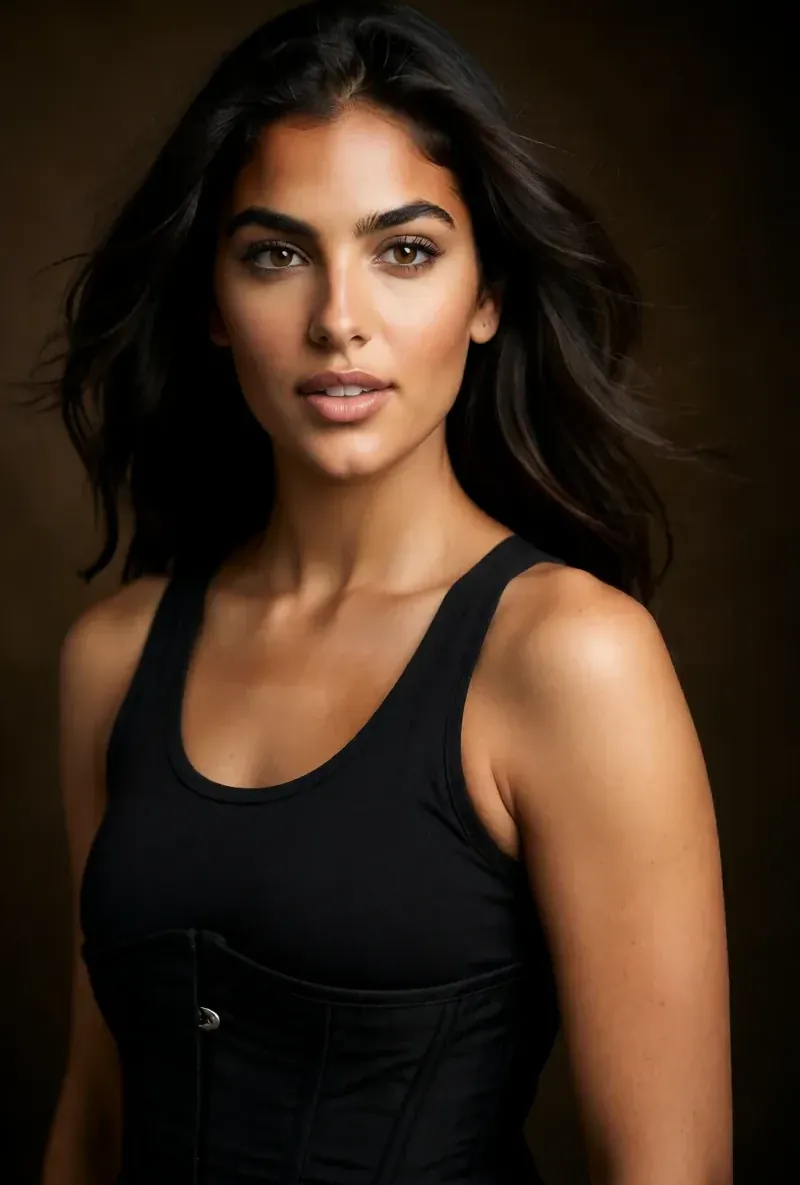 After the builder you pick a base image, and RYLA generates a reference sheet of that face that new photos are made from. After the builder you pick a base image, and RYLA generates a reference sheet of that face that new photos are made from. | Not compared here; its focus is live video, not photo sets. |
| Talking clips for social posts | Avatar Video creates talking clips with the voice chosen in the builder, and video swap places the same character into an existing clip. | Its homepage focuses on live, interactive agents; pre-recorded or posted clips are not compared here. |
RYLA の列は、主張するのではなく実際に見せています。価格やポリシーに関する主張の行には、あえて画像を置いていません。
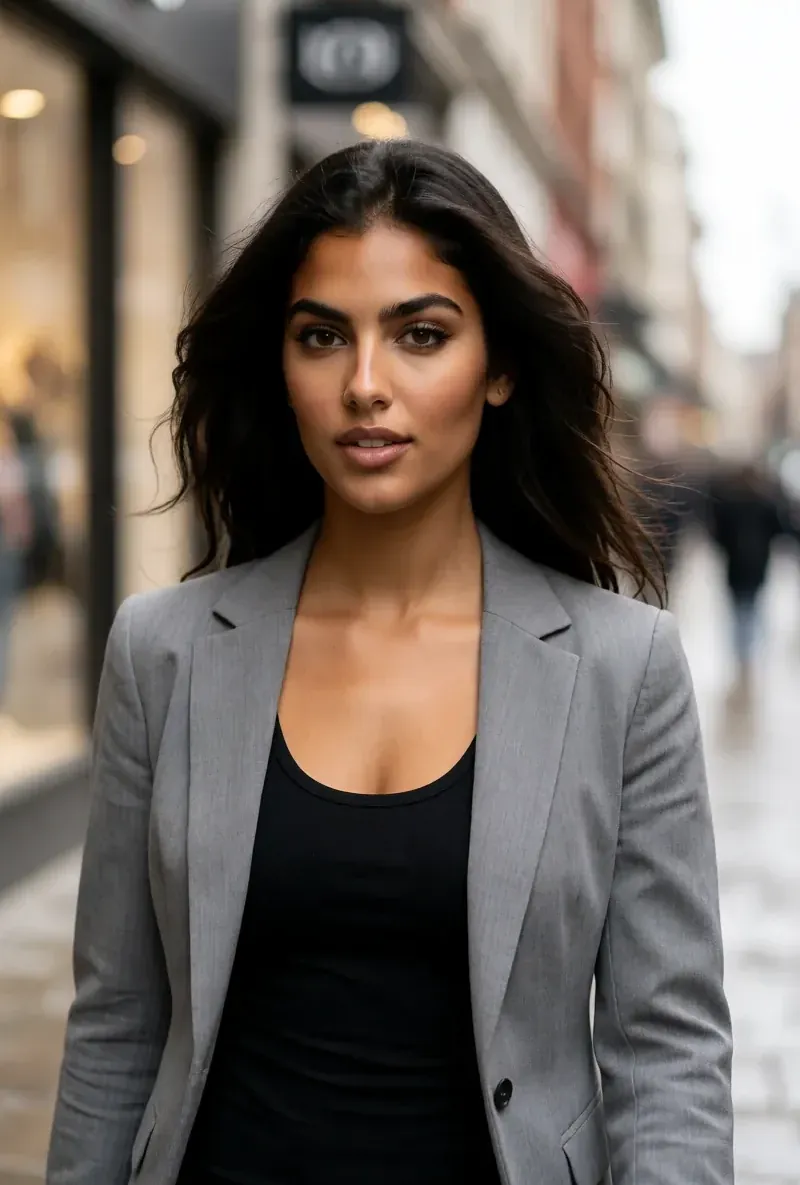
同じ顔、4つの異なるシーン
ここにある画像はすべて RYLA で生成しました。ひとりのキャラクターを4つの異なるシーンに置き、その間に修正は加えていません。


RYLA が勝つ点
写真のアップロードではなく、デザインするキャラクター
RYLAのビルダーは、あなたがデザインしたキャラクターから始まります。ニッチ、見た目、衣装、シーンを選び、そのあと性格、名前、声を決めると、RYLAがベース画像を生成し、そこから選べます。
1つの顔を参照シートで固定
キャラクターのベース画像を1枚選ぶと、RYLAがその顔の参照シートを生成します。新しい写真とクリップは、そのシートから作られます。
1人のキャラクターの写真、動画、話すクリップ
ファイナライズ後、Studioがテンプレートから新しい写真を生成し、画像から動画で静止画を動かし、Avatar Video がビルダーで選んだ声による話すクリップを作り、動画の顔交換で同じキャラクターを既存のクリップに入れます。
不利な点も正直に
ライブで話すエージェント、会議に参加するAI、ドキュメントから回答するAIが必要なら、そのどれもRYLAは提供していませんが、Tavusは対応しています。RYLAは会話ではなく、投稿するコンテンツのためのものです。
Tavus がまだ勝る点
Tavus is ahead on anything interactive. It is built for real-time conversation, meeting calls, a knowledge base, memory, and a developer API, and RYLA offers none of those. RYLA does not try to replace a conversational agent; if your goal is a sales, support, or coaching agent, Tavus is the better fit.
Tavus から RYLA へ乗り換える
There is no import between the two products, and they solve different problems, so you would use RYLA alongside Tavus rather than instead of it. If you want a character for posted content, this is the actual sequence in the RYLA builder:
- Pick a niche, then gender and style.
- Set the look: ethnicity, age, skin, eyes, face shape, and hair.
- Choose outfit and scene, then personality and a name, then a voice.
- Generate base images and pick the one that becomes your character.
- RYLA generates a reference sheet of that face.
- Finalize, then create new photos in Studio, motion with image-to-video, talking clips in Avatar Video, and swaps in Video Swap.
Here is one RYLA character from the showcase on this site, generated in two different scenes:


Current plans are on the pricing page.
判定
Choose Tavus if you need an AI agent that holds a live video conversation, joins meetings, answers from your documents, or is embedded in your product through an API. Choose RYLA if you want to design one new character in detail, lock its face in a reference sheet, and generate its photos, video, talking clips, and video swaps for social content. RYLA is not affiliated with, endorsed by, or connected to Tavus; the name Tavus is used on this page only to identify that service.