
Procurando uma alternativa ao Pippit? Crie seu personagem passo a passo
O Pippit (pippit.ai) é uma ferramenta de vídeo e imagem com IA, com um Video Agent, avatares digitais e fotos falantes. A RYLA segue outro caminho: você cria um personagem novo em um builder passo a passo, trava o rosto dele em uma folha de referência e gera esse mesmo personagem em fotos, vídeos e clipes falantes.
Qual você deve usar?
you want to design a new character step by step (niche, look, outfit, personality, voice), lock its face in a reference sheet, and generate its photos, video, talking clips, and video swaps in one workspace
you want a Video Agent that turns links and files into videos, an Image Agent for posters and social posts, a choice of generation models, and a free plan with daily credits
Onde cada plataforma vence
Pippit describes itself through a Video Agent that turns links, files, or media into videos, an Image Agent for posters and social posts, and digital avatars including talking photos. Its pricing page lists four plans (Free, Starter, Plus, Pro) with monthly credit allowances and free daily credits. RYLA starts from the character: you design a new face in the builder, without uploading photos of anyone, and generate new content from that one character. Facts about Pippit come from its public homepage and pricing page, as of 21 October 2026. RYLA plans come from the RYLA pricing page. The table includes the rows where Pippit is ahead.
| Feature | RYLARecomendado | Pippit |
|---|---|---|
| Plans | Monthly plans from Basic at $34.99 a month; credits and character limits are on the pricing page. | Four plans (Free, Starter, Plus, Pro); the paid ones list 1,575, 3,885, and 35,500 monthly credits. Current prices are on its pricing page. |
| Free start | Free plan in the RYLA app: a one-time credit grant at signup and one character, with no monthly refill. Paid plans are on the pricing page. | A Free plan at no cost with no credit card required, which lists free daily credits, the Video Agent, and AI talking photos. |
| Turning links and files into videos |  RYLA makes videos of one character you designed, not videos built from a link or file. RYLA makes videos of one character you designed, not videos built from a link or file. | A Video Agent that turns links, files, or media into videos, can reference a trending video, and can translate videos. |
| Choice of generation models | Photos, image-to-video, and talking clips of your character, without a per-model picker. | Its footer lists Seedance 2.5, Seedream, Sora 2, Nano Banana Pro, and Veo 3.1; Plus and Pro list GPT Image 2.5. |
| Avatars and talking clips | Talking avatar clips with the voice chosen in the builder, plus image-to-video and video swap of the same character. | A selection of AI avatars, custom twin avatars, and talking photos. |
| Designing a new character | A step-by-step builder: niche, gender and style, ethnicity, age, skin, eyes, face shape, hair, outfit and scene, personality and name, then a voice. | Pick from its avatars or create a custom avatar; its own pages describe the steps. |
| Keeping one face consistent | 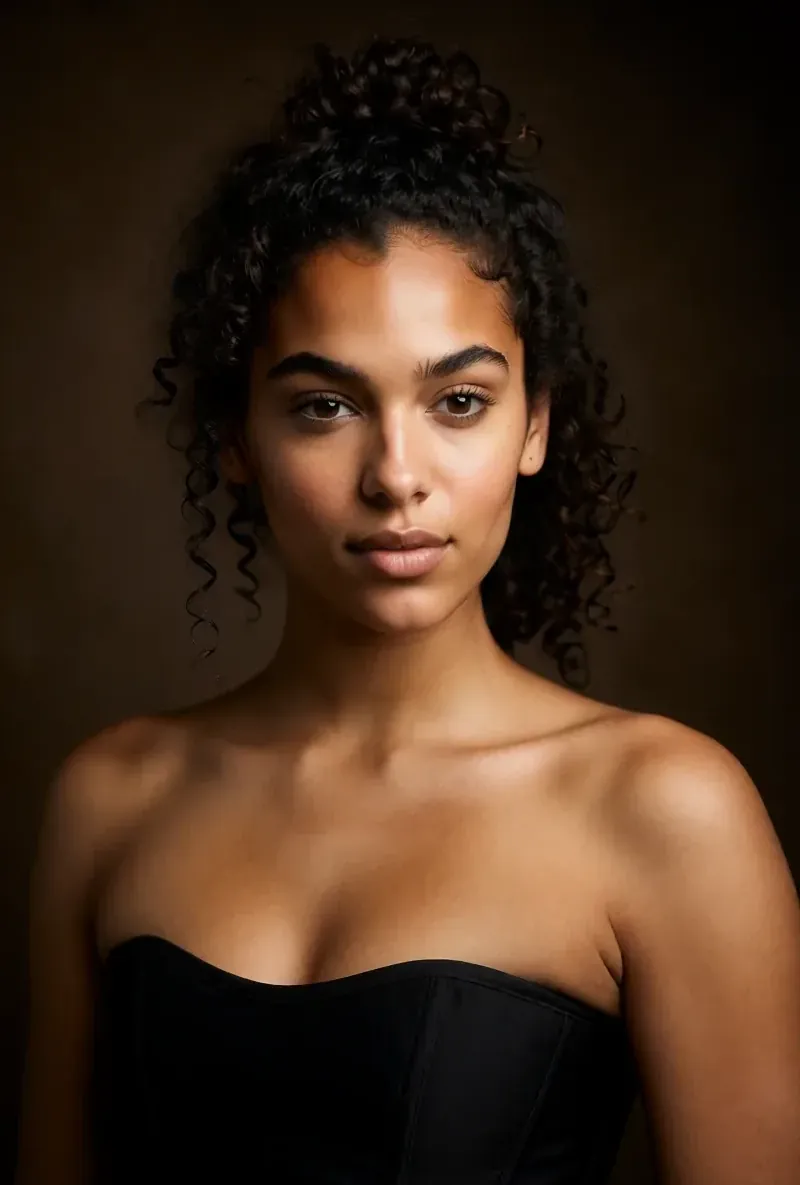 After the builder you pick a base image, and RYLA generates a reference sheet of that face that new content is made from. After the builder you pick a base image, and RYLA generates a reference sheet of that face that new content is made from. | Custom twin avatars are listed; how a face is kept consistent is not compared here. |
A coluna da RYLA, mostrada em vez de afirmada. Linhas cuja afirmação é um preço ou uma política não têm imagem de propósito.
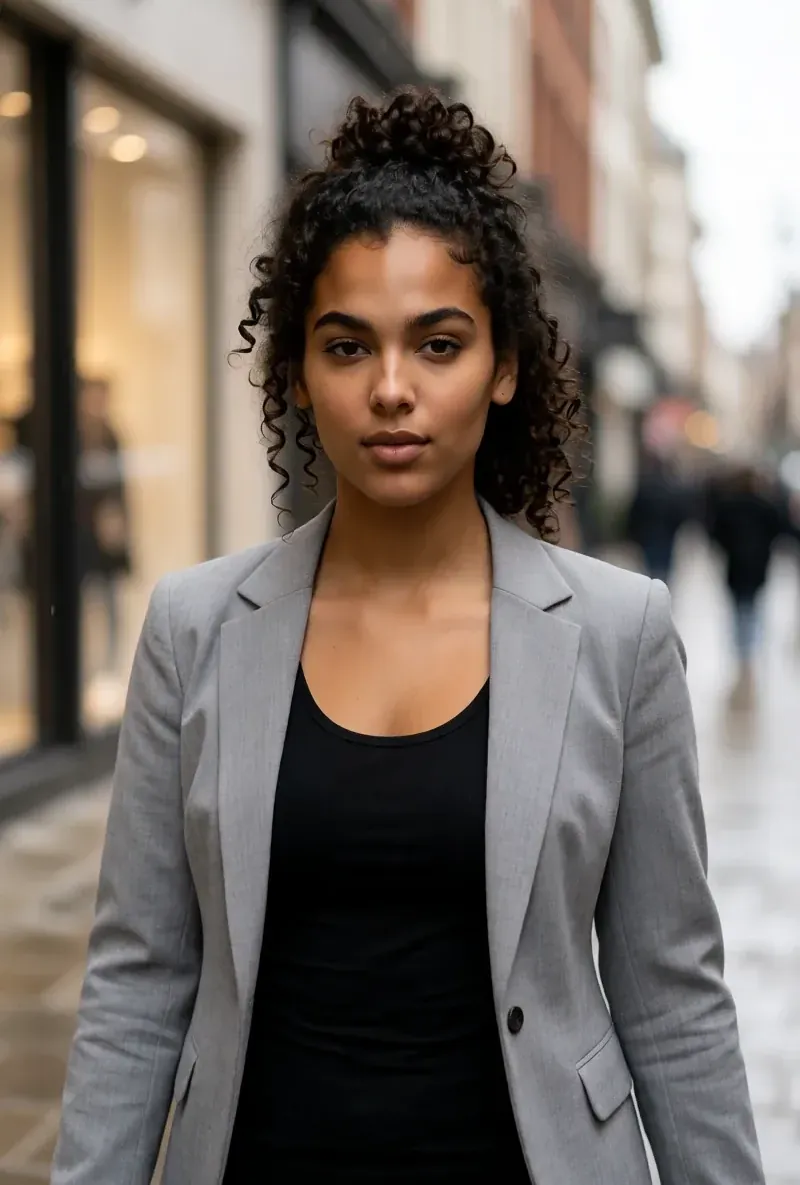
O mesmo rosto em quatro cenas diferentes
Cada imagem aqui foi gerada com a RYLA. Um personagem, quatro cenas diferentes, nada retocado no meio do caminho.

Onde a RYLA vence
Você não precisa de fotos suas
O builder da RYLA começa com um personagem que você cria, não com fotos que você envia. Você escolhe nicho, aparência, outfit e cena, depois personalidade, nome e voz, e a RYLA gera imagens base para você escolher.
Um rosto, travado em uma folha de referência
Você escolhe uma imagem base do seu personagem, a RYLA gera uma folha de referência desse rosto, e as novas fotos e clipes são feitos a partir dessa folha.
Fotos, vídeo e clipes falantes de um personagem
Depois de finalizar, o Studio gera fotos novas a partir de templates, a imagem para vídeo coloca uma foto em movimento, o Avatar Video cria clipes falantes com a voz escolhida no builder, e o video swap coloca o mesmo personagem em um clipe existente.
Honesta sobre a diferença
O Pippit oferece um plano gratuito com créditos diários, um Video Agent que trabalha com links e arquivos e vários modelos de geração. Se é isso que você precisa, o Pippit cobre esses pontos de forma mais direta do que a RYLA hoje.
Onde Pippit ainda vence
Pippit is ahead on free access, on turning links and files into videos, and on model choice. Its Free plan lists daily credits with no credit card required, its Video Agent starts from a link, a file, or a trending video, and its footer lists several video and image models. If you want quick videos from existing material, Pippit fits that job more directly.
Migrar de Pippit para a RYLA
There is no import between the two products, so switching means building your character once in RYLA. This is the actual sequence in the RYLA builder:
- Pick a niche, then gender and style.
- Set the look: ethnicity, age, skin, eyes, face shape, and hair.
- Choose outfit and scene, then personality and a name, then a voice.
- Generate base images and pick the one that becomes your character.
- RYLA generates a reference sheet of that face.
- Finalize, then create new photos in Studio, motion with image-to-video, talking clips in Avatar Video, and swaps in Video Swap.
Here is one RYLA character from the showcase on this site, generated in two different scenes:


If you liked an avatar you made on Pippit, use its look as your brief in step 2. Current plans are on the pricing page.
Veredito
Choose Pippit if you want a Video Agent that turns links and files into videos, a choice of generation models, and a free plan with daily credits. Choose RYLA if you want to design one new character in detail, lock its face in a reference sheet, and generate its photos, video, talking clips, and video swaps in one workspace. RYLA is not affiliated with, endorsed by, or connected to Pippit; the name Pippit is used on this page only to identify that service.