
Suchst du eine Pippit Alternative? Gestalte deinen Charakter Schritt für Schritt
Pippit (pippit.ai) ist ein KI-Video- und Bildtool mit Video Agent, digitalen Avataren und sprechenden Fotos. RYLA geht einen anderen Weg: Du gestaltest einen neuen Charakter in einem Schritt-für-Schritt-Builder, fixierst sein Gesicht in einem Referenzblatt und erzeugst genau diesen Charakter in Fotos, Video und sprechenden Clips.
Welches solltest du nutzen?
you want to design a new character step by step (niche, look, outfit, personality, voice), lock its face in a reference sheet, and generate its photos, video, talking clips, and video swaps in one workspace
you want a Video Agent that turns links and files into videos, an Image Agent for posters and social posts, a choice of generation models, and a free plan with daily credits
Wo jede Plattform gewinnt
Pippit describes itself through a Video Agent that turns links, files, or media into videos, an Image Agent for posters and social posts, and digital avatars including talking photos. Its pricing page lists four plans (Free, Starter, Plus, Pro) with monthly credit allowances and free daily credits. RYLA starts from the character: you design a new face in the builder, without uploading photos of anyone, and generate new content from that one character. Facts about Pippit come from its public homepage and pricing page, as of 21 October 2026. RYLA plans come from the RYLA pricing page. The table includes the rows where Pippit is ahead.
| Feature | RYLAEmpfohlen | Pippit |
|---|---|---|
| Plans | Monthly plans from Basic at $34.99 a month; credits and character limits are on the pricing page. | Four plans (Free, Starter, Plus, Pro); the paid ones list 1,575, 3,885, and 35,500 monthly credits. Current prices are on its pricing page. |
| Free start | Free plan in the RYLA app: a one-time credit grant at signup and one character, with no monthly refill. Paid plans are on the pricing page. | A Free plan at no cost with no credit card required, which lists free daily credits, the Video Agent, and AI talking photos. |
| Turning links and files into videos |  RYLA makes videos of one character you designed, not videos built from a link or file. RYLA makes videos of one character you designed, not videos built from a link or file. | A Video Agent that turns links, files, or media into videos, can reference a trending video, and can translate videos. |
| Choice of generation models | Photos, image-to-video, and talking clips of your character, without a per-model picker. | Its footer lists Seedance 2.5, Seedream, Sora 2, Nano Banana Pro, and Veo 3.1; Plus and Pro list GPT Image 2.5. |
| Avatars and talking clips | Talking avatar clips with the voice chosen in the builder, plus image-to-video and video swap of the same character. | A selection of AI avatars, custom twin avatars, and talking photos. |
| Designing a new character | A step-by-step builder: niche, gender and style, ethnicity, age, skin, eyes, face shape, hair, outfit and scene, personality and name, then a voice. | Pick from its avatars or create a custom avatar; its own pages describe the steps. |
| Keeping one face consistent | 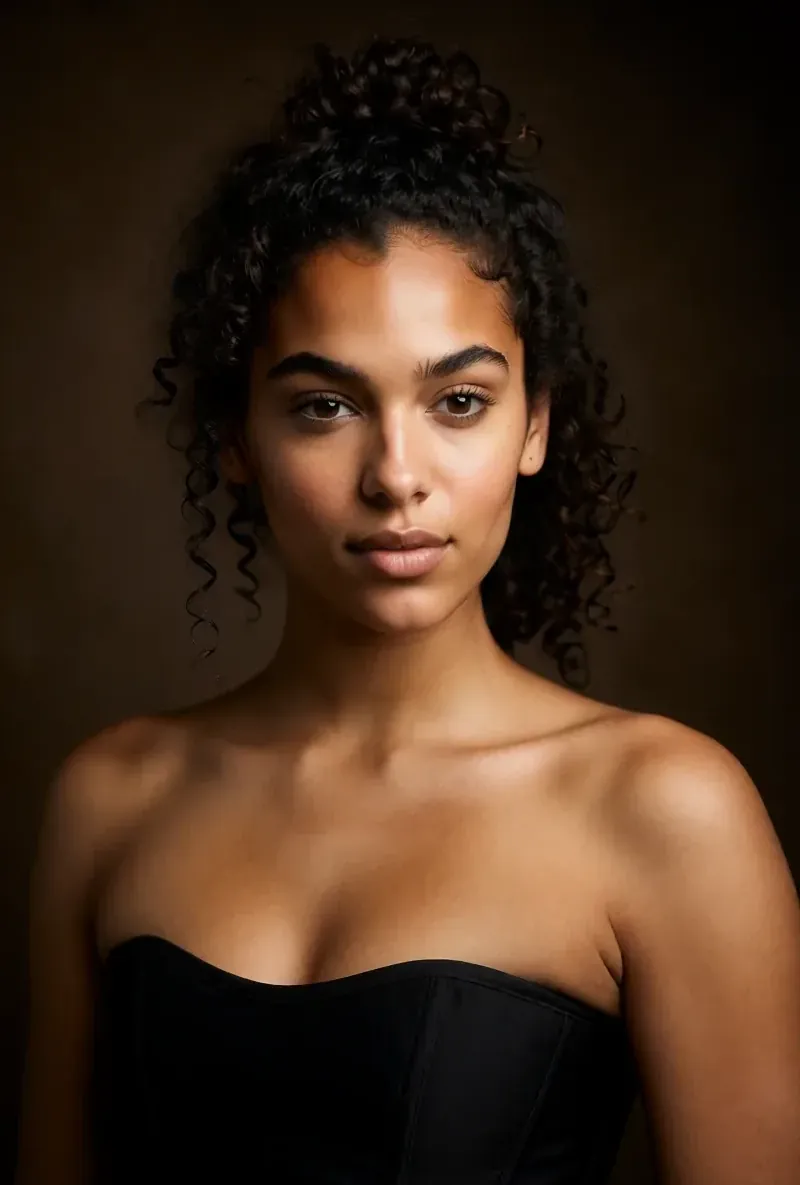 After the builder you pick a base image, and RYLA generates a reference sheet of that face that new content is made from. After the builder you pick a base image, and RYLA generates a reference sheet of that face that new content is made from. | Custom twin avatars are listed; how a face is kept consistent is not compared here. |
Die RYLA-Spalte, gezeigt statt behauptet. Zeilen, in denen es um Preis oder Bedingungen geht, tragen bewusst kein Bild.
Dasselbe Gesicht in vier verschiedenen Szenen
Jedes Bild hier wurde mit RYLA erzeugt. Eine Person, vier verschiedene Szenen, nichts dazwischen retuschiert.


Wo RYLA gewinnt
Keine Fotos von dir nötig
Der RYLA-Builder startet mit einem Charakter, den du gestaltest, nicht mit Fotos, die du hochlädst. Du wählst Nische, Aussehen, Outfit und Szene, dann Persönlichkeit, Namen und Stimme, und RYLA erzeugt Basisbilder zur Auswahl.
Ein Gesicht, fixiert im Referenzblatt
Du wählst ein Basisbild deines Charakters, RYLA erzeugt daraus ein Referenzblatt dieses Gesichts, und neue Fotos und Clips entstehen aus diesem Blatt.
Fotos, Video und sprechende Clips eines Charakters
Nach dem Abschließen erzeugt Studio neue Fotos aus Vorlagen, Bild-zu-Video bringt ein Standbild in Bewegung, Avatar Video erstellt sprechende Clips mit der im Builder gewählten Stimme, und Video Swap setzt denselben Charakter in einen bestehenden Clip.
Ehrlich bei der Lücke
Pippit bietet einen kostenlosen Plan mit Tages-Credits, einen Video Agent, der mit Links und Dateien arbeitet, und mehrere Generierungsmodelle. Wenn du genau das brauchst, deckt Pippit es heute direkter ab als RYLA.
Wo Pippit noch gewinnt
Pippit is ahead on free access, on turning links and files into videos, and on model choice. Its Free plan lists daily credits with no credit card required, its Video Agent starts from a link, a file, or a trending video, and its footer lists several video and image models. If you want quick videos from existing material, Pippit fits that job more directly.
Wechsel von Pippit zu RYLA
There is no import between the two products, so switching means building your character once in RYLA. This is the actual sequence in the RYLA builder:
- Pick a niche, then gender and style.
- Set the look: ethnicity, age, skin, eyes, face shape, and hair.
- Choose outfit and scene, then personality and a name, then a voice.
- Generate base images and pick the one that becomes your character.
- RYLA generates a reference sheet of that face.
- Finalize, then create new photos in Studio, motion with image-to-video, talking clips in Avatar Video, and swaps in Video Swap.
Here is one RYLA character from the showcase on this site, generated in two different scenes:


If you liked an avatar you made on Pippit, use its look as your brief in step 2. Current plans are on the pricing page.
Fazit
Choose Pippit if you want a Video Agent that turns links and files into videos, a choice of generation models, and a free plan with daily credits. Choose RYLA if you want to design one new character in detail, lock its face in a reference sheet, and generate its photos, video, talking clips, and video swaps in one workspace. RYLA is not affiliated with, endorsed by, or connected to Pippit; the name Pippit is used on this page only to identify that service.
Common Questions
Suchst du eine Pippit Alternative? Gestalte deinen Charakter Schritt für Schritt
Pippit (pippit.ai) ist ein KI-Video- und Bildtool mit Video Agent, digitalen Avataren und sprechenden Fotos. RYLA geht einen anderen Weg: Du gestaltest einen neuen Charakter in einem Schritt-für-Schritt-Builder, fixierst sein Gesicht in einem Referenzblatt und erzeugst genau diesen Charakter in Fotos, Video und sprechenden Clips.