
The Short Answer
Same goal, different methods
Every AI influencer tool promises the same thing: one face that stays the same across hundreds of posts. Under that promise, the major platforms work in quite different ways, and the method decides how much work you put in and where the face can still drift.
In short, as of 10 October 2026: Higgsfield trains an identity called Soul ID on 20 or more photos of one person. OpenArt lets you save a character from a reference image, a text prompt or its character builder, and reuse it. Leonardo and Midjourney steer each new image with a single reference picture. RYLA has you design a new character once in a guided builder and then generates every later image from that character.
This page compares those methods using only what each company publishes about its own product. It does not score image quality, because that depends on the prompt, the model and the scene. RYLA is not affiliated with, endorsed by, or connected to Higgsfield, OpenArt, Leonardo or Midjourney; their names are used here only to identify those services.
The Three Ways Platforms Keep a Face
Training, saved characters and single references
An image model has no memory between generations. Each tool adds something on top to carry the face from one image to the next. There are three common approaches:
- Train an identity on many photos. You upload a set of photos of one person, the platform trains on them for a few minutes, and you then pick that identity whenever you generate. More input up front, less to repeat later.
- Save a reusable character. You create the character once, from an image, a prompt or a builder, and the platform stores it so you can select it again instead of describing the face each time.
- Steer each image with one reference picture. You attach a single image to every prompt and set how strongly it should be followed. Quick to start, but the reference is applied image by image, so a strong setting can also copy hair, clothes or pose you wanted to change.
For a deeper look at the technology underneath (seeds, LoRA training, identity adapters and face swap), see AI influencer consistency.
The Platforms Side by Side
What each vendor says about its own method
Everything in this table comes from the vendors' own help pages and documentation, read on 10 October 2026. These are the vendors' statements, not independent tests.
| Platform | Method | What you provide | Limits the vendor states |
|---|---|---|---|
| Higgsfield (Soul ID) | Trains an identity | 20 or more photos of the same person, up to 80 | Only upload yourself or someone who gave permission; for an invented character, generate portraits first and train on those |
| OpenArt (Characters) | Saved, reusable character | A reference image, a text prompt or builder presets | Small variations may occur |
| Leonardo (Character Reference) | One reference per image | A single reference image, strength set from Low to High | One image at a time; works better with generated subjects than outside photos |
| Midjourney (Omni Reference) | One reference per image | A reference image plus a text prompt | Uses twice the GPU time of a standard V7 image; not available for inpainting or outpainting |
| RYLA | Designed character with a reference sheet | Choices in a guided builder | Built for designing new characters rather than training on a photo set |
Where the others are ahead: if you need the face of a real, existing person (yourself, with your own photos), Higgsfield Soul ID is built for exactly that, while the RYLA builder is aimed at designing new characters. If you want to borrow a look from any image you already have, the reference tools in Leonardo and Midjourney are quicker to start with.
Platform by Platform
The details behind the table
Higgsfield Soul ID. The Higgsfield help center asks for 20 or more photos of the same person, supports up to 80, and says training takes a few minutes. It states that a trained Soul ID works across the Soul family of models and can carry over into Seedance video generation as an Element. It also says to upload only yourself or someone who gave permission, and that an invented character should be generated as portraits first and then trained. For a direct comparison, see RYLA vs Higgsfield.
OpenArt Characters. OpenArt's character page describes three ways to create a character: a reference image, a text prompt, or the character builder's presets, with the reference image giving the most control over facial structure. It says a saved character can be reused across generations, and its FAQ adds that small variations may occur, while consistency is significantly improved compared with independent generations. See also OpenArt alternative.
Leonardo Character Reference. Leonardo's help center says Character Reference generates an image while referencing the likeness of a subject in one reference image, that only a single image can be used at a time, and that you can adjust strength from Low to High. It notes that it works better with generated subjects than with subjects from outside sources.
Midjourney Omni Reference. Midjourney's documentation describes Omni Reference as a way to bring a character, object, vehicle or creature from a reference image into a new image. It lists a GPU time cost of twice a standard V7 image and says it does not work with inpainting or outpainting.
How to Test Consistency Yourself
A quick check before you commit to a plan
Marketing pages all show their strongest results, so run the same small test on any platform you are considering:
- Make one reference image of the character and save it. This is what every later image is judged against.
- Generate ten images that change one thing at a time: pose, outfit, lighting, background, camera distance.
- Compare each image to the reference, not to the previous image. Look at eyes, nose shape, jawline and hairline.
- Count how many of the ten you would post without editing. That number, on your own prompts, tells you more than any feature list.
- Try a video or talking clip from the same character if you plan to post video, since movement shows drift that still images hide.
For a fuller workflow for photo batches, see how to keep an AI character consistent across photos.
How RYLA Handles It
The actual sequence in the builder
The RYLA builder starts from design choices rather than training on a photo set, and it does not ask for a reference image on every prompt. You design a new character once, and that character is what every later generation starts from. This is the actual sequence in the RYLA builder:
- Pick a niche, then gender and style.
- Set the look: ethnicity, age, skin, eyes, face shape, and hair.
- Choose outfit and scene, then personality and a name, then a voice.
- Generate base images and pick the one that becomes your character.
- RYLA generates a reference sheet of that face.
- Finalize, then create new photos in Studio, motion with image-to-video, talking clips in Avatar Video, and swaps in Video Swap.
Here is one RYLA character from the showcase on this site, generated in two different scenes:
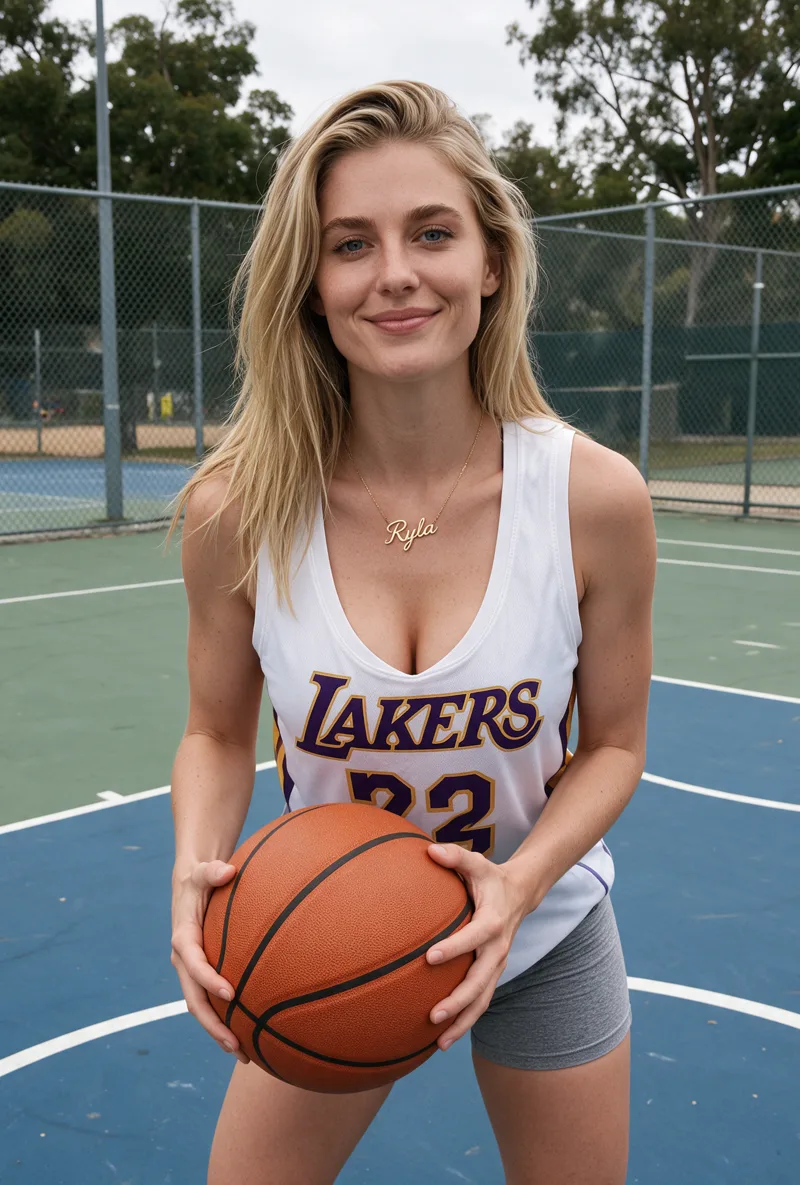
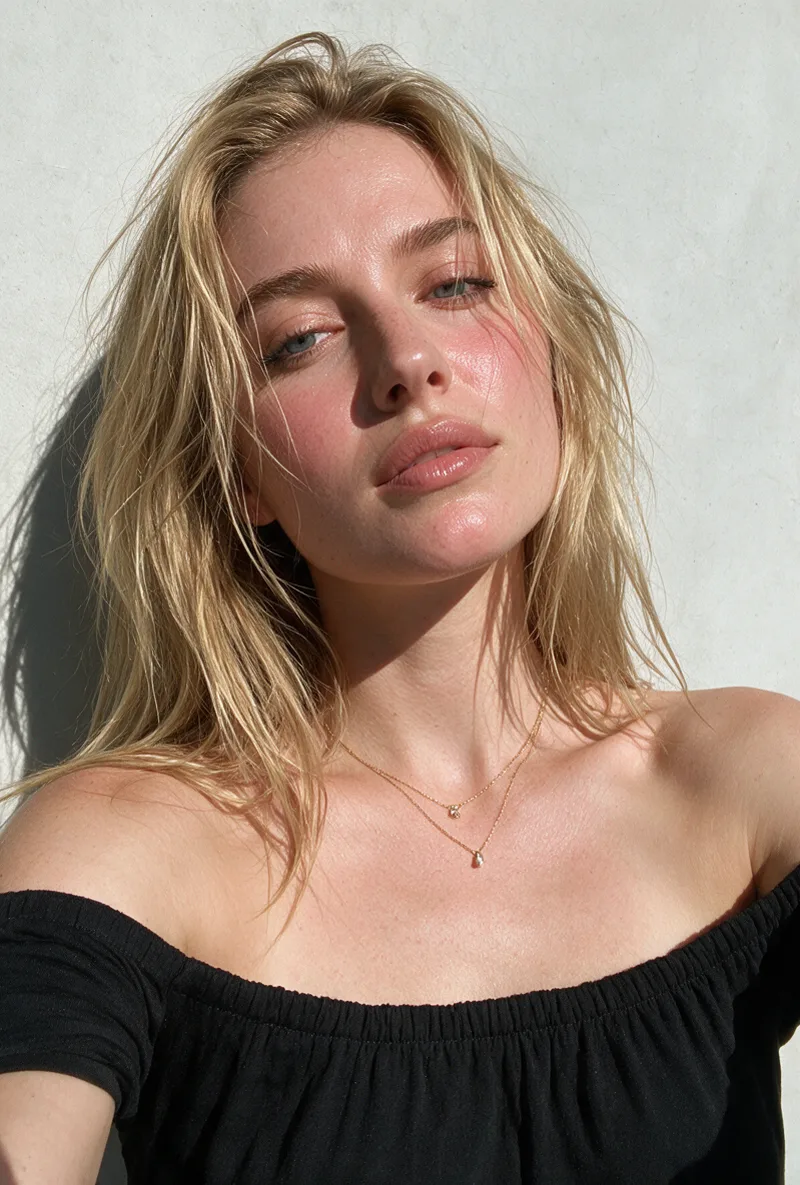
Plans and credits are on the pricing page. To start a character, see create an AI influencer.
Design One Character, Then Generate It Everywhere
Build a new AI character in the RYLA builder and create its photos, video and talking clips from the same reference sheet.
Start Free TrialWhich One Fits Your Project
Match the method to the job
- You want your own face, from your own photos: an identity trained on many photos, such as Higgsfield Soul ID, fits that job directly.
- You make one-off images and want to borrow a look from a picture: a single-reference tool such as Leonardo Character Reference or Midjourney Omni Reference is the quickest start.
- You want a reusable character inside a general image studio: a saved character, such as OpenArt Characters, keeps it selectable across generations.
- You want a brand-new AI influencer that posts photos, video and talking clips: a designed character with one reference sheet, as on RYLA, keeps the whole content run tied to the same face.
For a broader comparison that also covers video, pricing and ease of use, see AI influencer platforms comparison.
Sources
All sources retrieved 2026-10-10
- Higgsfield help center, how to create and use a Soul ID character (read on 10 October 2026)
- OpenArt, Characters (read on 10 October 2026)
- Leonardo help center, Image Guidance (read on 10 October 2026)
- Leonardo API docs, Generate Images Using Image Guidance (read on 10 October 2026)
- Midjourney documentation, Omni Reference (read on 10 October 2026)