
 Varazdat S.
 Janis Tirtey

The Short Answer
Realism is a feed problem, not only an image problem
To make AI-generated influencer content look real, fix two things. First, each image has to read as a photograph: believable light, visible skin texture, correct hands and a background that makes sense. Second, the feed has to read as one person: the same face in every post, in places and situations that repeat the way a real life does.
Most guides stop at the first part and give you a prompt list. That helps, but a perfect single image still looks fake if the next post shows a slightly different face, or if every shot is a flawless studio portrait.
This guide covers both layers in the order you would work through them. For the image-level techniques in more depth, see how to make AI-generated people look more realistic. For prompt wording, see how to write better prompts for realistic AI characters.
The Tells That Make an AI Image Look Fake
What viewers notice first, and the fix for each
Viewers rarely say "this is low resolution". They feel that something is off. The usual cause is too much polish, not too little. Check an image for these tells before you post it:
| Tell | What it looks like | Fix |
|---|---|---|
| Plastic skin | Smooth, even tone with no pores | Ask for visible skin texture and natural variation; avoid heavy retouch wording |
| Flat light | Even glow with no clear source | Name one light source (window light, golden hour, overhead cafe light) |
| Perfect symmetry | A face that is mirror-balanced | Accept small asymmetry; do not prompt for "perfect" |
| Hands and fingers | Extra, fused or bent fingers | Regenerate, crop the hands out, or give them something to hold |
| Background text and objects | Garbled signs, warped cups, repeated patterns | Keep backgrounds simple or regenerate the scene |
| Too clean | Spotless room, perfect hair, no clutter | Add small everyday detail: a bag strap, a half-finished drink, a rumpled sleeve |
| Stock-photo pose | Direct smile, centred, hands on hips | Use candid framing: looking away, mid-motion, off-centre |
If an image has two or more of these, regenerate it instead of editing it. It is faster, and edits often add a new tell. Keep the fixes you find: they become your standing notes for every future prompt.
A Realism Workflow in the RYLA Builder
The actual sequence, in order
This is the real sequence in the RYLA builder, with the realism decision at each step:
- Pick a niche, then gender and style. A narrow niche gives you a clear everyday setting to make believable.
- Set the look: ethnicity, age, skin, eyes, face shape and hair. Choose natural settings for skin and hair rather than the most polished option.
- Choose outfit and scene, then personality and a name. Pick clothes and places that suit the niche, not a runway.
- Generate base images and pick the one that looks most like a photograph. Reject any that show the tells above.
- RYLA generates a reference sheet of that face. Keep it: this fixes the face, so realism work in later steps does not have to start again.
- Finalize, then create content in Studio: stills for the feed, and clips in AI image to video when you want motion.
Here is one RYLA character from the showcase on this site, in two scenes. Look at how the light and setting change while the face stays recognisable:
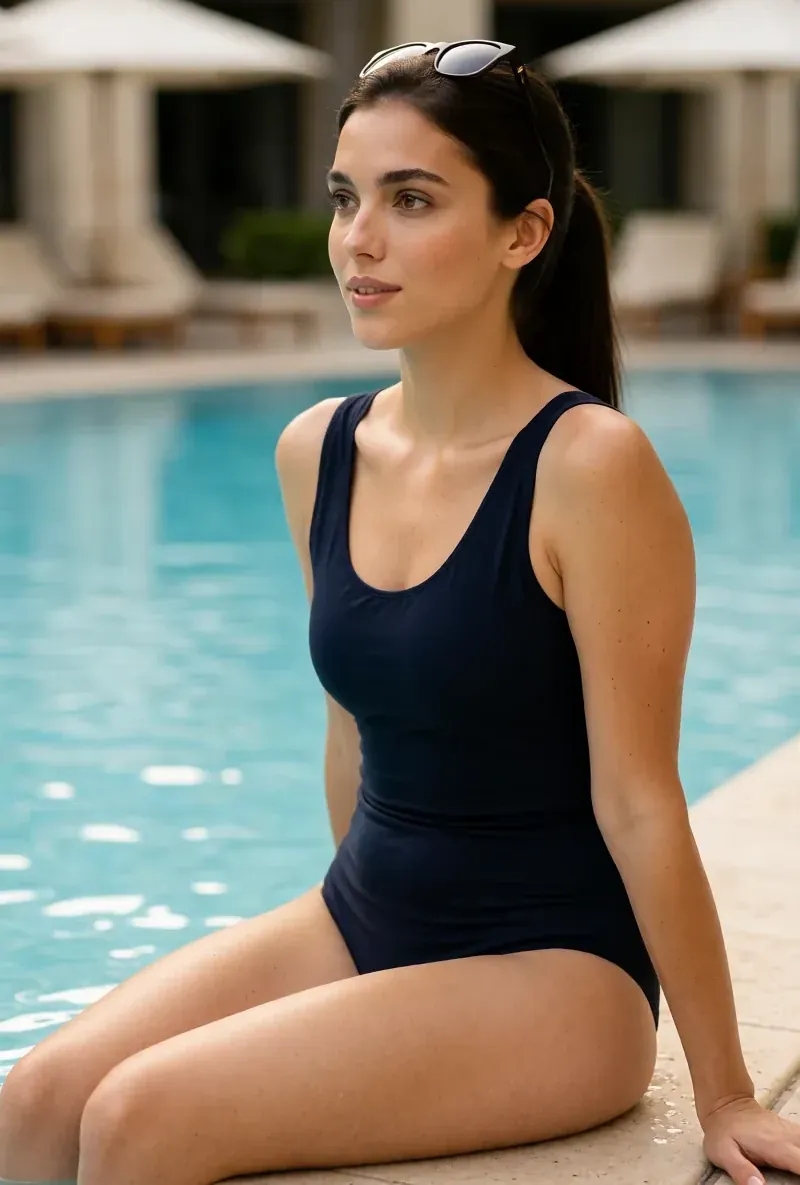
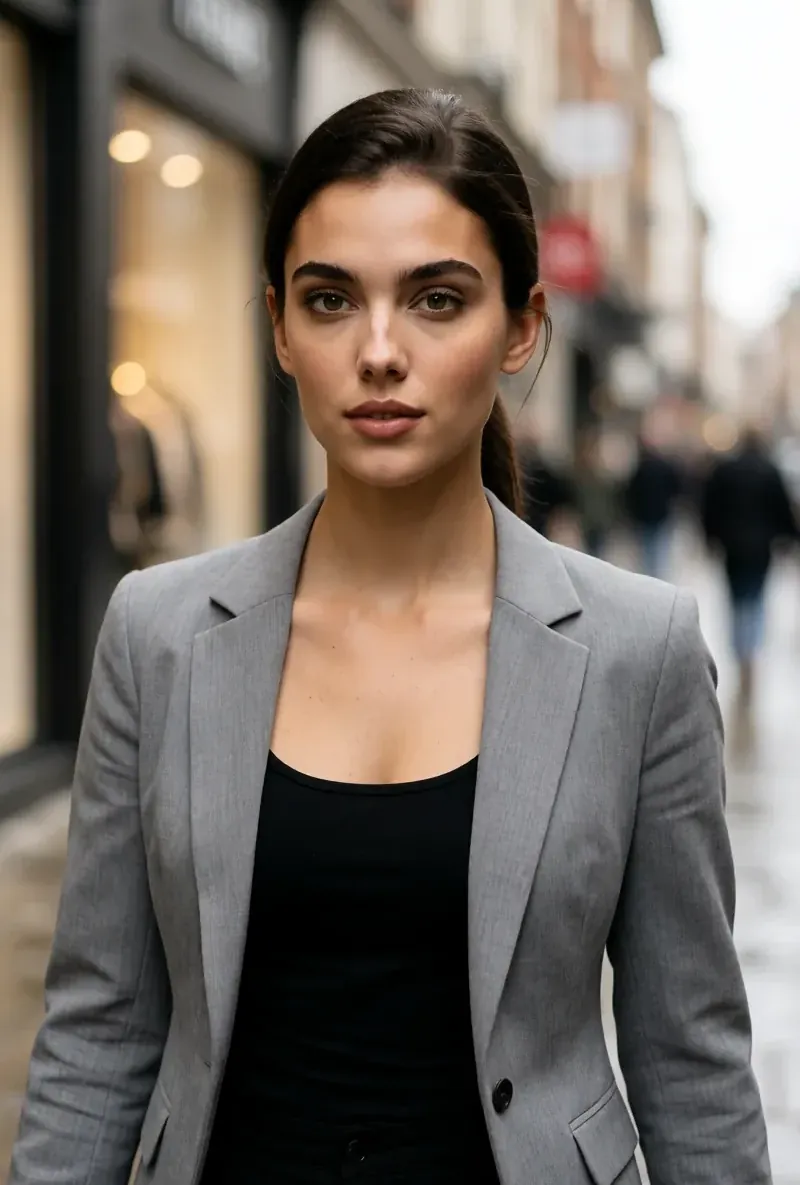
For the full character build, see how to create an AI influencer. Plans are on the pricing page. RYLA builds fictional characters, and nothing in the builder requires photos of a real person.
Make the Whole Feed Believable
Where most AI influencer accounts lose trust
A real person's feed has patterns. The same cafe, the same street, a few bad photos between the good ones. An AI feed of ten flawless portraits in ten unrelated places does not.
- One face, always. The fastest way to break realism is a face that drifts between posts. Reuse the same reference sheet. See how to keep an AI character consistent across photos.
- Repeat places. Pick three to five recurring settings (home, a gym, a favourite street) and return to them.
- Mix the shot types. Alternate portraits, half-body, full-body, objects and detail shots. Include a few ordinary, slightly imperfect frames.
- Match caption and image. A caption about a morning coffee should not sit on a studio portrait. Plan the post pair together.
- Give the character a personality. Consistent taste and a consistent way of writing make a feed feel lived in. See how to create an AI influencer personality.
- Add motion carefully. Short clips raise the bar: skin and hands are judged for longer. Watch the full clip before you post it.
For a content plan that builds this up, see how to create consistent social media content with an AI character.
Create a Consistent, Realistic AI Character
Design one AI character, keep its reference sheet and build a feed that looks like one real person. Free to start.
Start Free TrialThe Pre-Post Realism Check
Run it on every image and clip, the same way
Copy this table into your content notes and run it before each upload.
| Step | Check | Done when |
|---|---|---|
| Zoom | View at full size: skin, eyes, hands, teeth | No plastic skin, no extra fingers |
| Light | Is there one clear light source | Shadows agree with it |
| Background | Read any text, look at objects | Nothing garbled or warped |
| Face | Compare with the reference sheet | It is the same person as the last post |
| Context | Does the scene fit the character and the caption | It could be a day in this person's life |
| Variety | Compare with the last five posts | Not the same pose or angle again |
| Phone test | View at phone size | Still holds up when small |
| Label | Disclose realistic AI content where the platform asks | AI label set and caption is honest |
On the last row: platforms and regulators increasingly ask creators to disclose realistic AI content. See AI content disclosure rules and check each platform's current rules before you publish.
Common Mistakes
What makes realistic content look fake again
Chasing perfection. Adding more polish words makes skin smoother and the image less believable. Aim for a photograph, not an advert.
Fixing one image at a time. If the face changes between posts, no prompt will rescue the feed. Lock the face first.
Posting the first render. Zoom in. Most problems are visible at full size.
Same setting, same pose. Repeating places is good; repeating the exact frame is not.
Hiding that it is AI. Realistic does not mean undisclosed. Say it is an AI character and follow each platform's labelling rules.
Using a real person's likeness. RYLA characters are fictional. Do not point realism work at copying a real person.